

概览
浏览器 3D 游戏,由编程 Agent 从零写成:需求分多轮给出,每轮一段英文口语描述,都在同一份代码上接着写。游戏不含二进制素材,几何体、贴图和音效都由代码生成。
交付内容
game/
├── workspace/          可运行的游戏
│   ├── index.html + CSS
│   ├── src/            ES 模块
│   └── vendor/         three.js r169
├── problem_statement_* 每轮一份需求
├── result.json         逐轮统计
└── traj/
    ├── calls.jsonl     每次 API 调用全文
    ├── index.json      token 用量
    └── trajectories/   上下文分段
        ├── seg00_fresh.json
        ├── seg01_compact.json
        ├── branch_*.json
└── session_full.json- 游戏本体:纯 ES 模块加 import map,用任意静态文件服务器托管即可运行,无需安装或构建,也不发起网络请求。
- 调用记录:
calls.jsonl每行一次调用,含系统提示、工具定义、完整消息历史、响应、token 用量和耗时;思考内容是 API 返回的摘要。 - 上下文分段:上下文每写满一次,会话就从压缩摘要接着进行,并开始新的一段。
样例
3 个样例游戏,各用 3 到 4 轮需求做成。前两个游戏先展示 Agent 开发中自己截下并查看过的截图,按时间先后排列,标签注明需求轮次和第几次模型调用,最后一张是完成版的画面;第三个游戏展示完成版,按游玩顺序排列。点任意一张图可以放大,并按顺序逐张翻看。
样例 1 / 3
Highway weave:第一人称骑摩托,在车辆间穿插
玩家坐在摩托车上,在四车道公路的车辆之间左右穿插:时速 100 公里以上贴着车擦过就能得分,连续擦车会累积连击。三轮需求逐步扩展:先是能看到车把和仪表的无尽公路,再加入六挡变速、翘头和摔车,最后是四种环境、每种三个时段,加上雨天、隧道和四种玩法。开发过程中 Agent 共查看自己游戏的截图 69 次;下面的截图里有三组修复前后的对比,两段节选分别是它把月亮放进夜空、给隧道里的驾驶位补光。
各轮需求
- 第 1 轮 公路和驾驶视角:从车座上看出去的无尽四车道公路,画面下方是车把两端和后视镜、戴手套的双手和一个小仪表;路上有车要躲;方向键操作;全部用代码绘制。
- 第 2 轮 摩托车本身:六挡变速和转速限制,自动或手动换挡,压弯时车身倾斜、镜头侧倾,翘头、喇叭和回头看,擦车得分和连击条,摔车时面罩碎裂。
- 第 3 轮 环境和玩法:四种环境(公路、沙漠、城市、雪原),各有正午、傍晚、夜晚三个时段;夜里靠车灯照明,另有隧道和雷雨;生涯、无尽、计时赛、自由骑行四种玩法;单向或双向行驶。
Agent 开发中自查的截图(按时间顺序),最后一张是完成版
第 1 轮,第 48 次模型调用
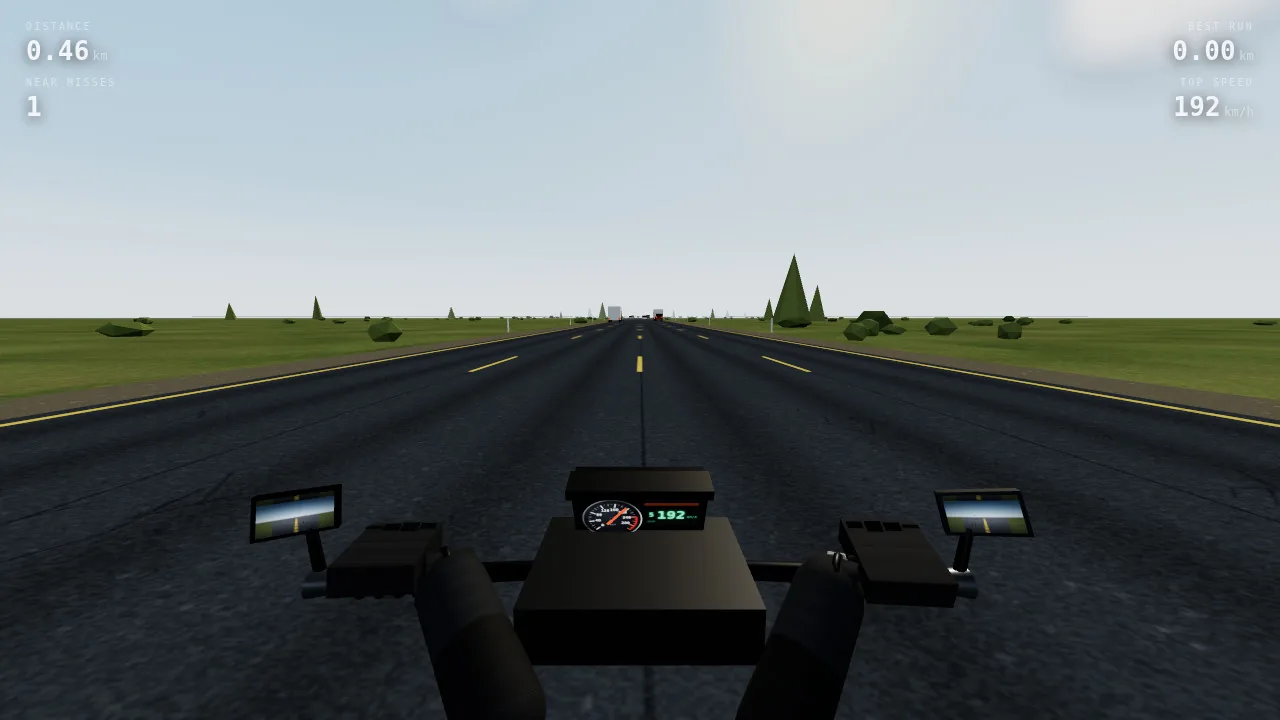
修复前:Agent 查看的第一张截图。道路、车辆和 HUD 都正常,但车把、双手和车头罩渲染成了黑块。
第 1 轮,第 66 次模型调用
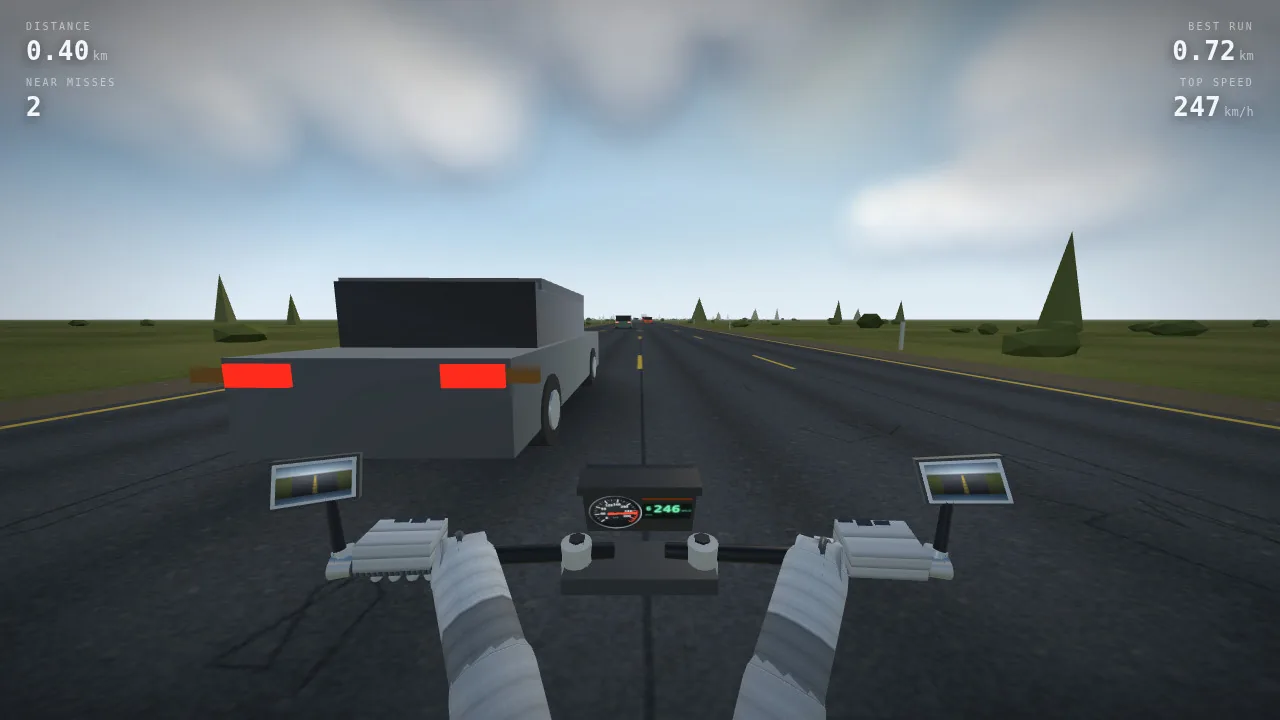
修复后:Agent 查出金属度高的材质在没有环境贴图时会渲染成黑色,手套和握把的贴图又是深色叠深色,于是补上环境贴图、调亮贴图,并重做了驾驶位。
第 2 轮,第 198 次模型调用
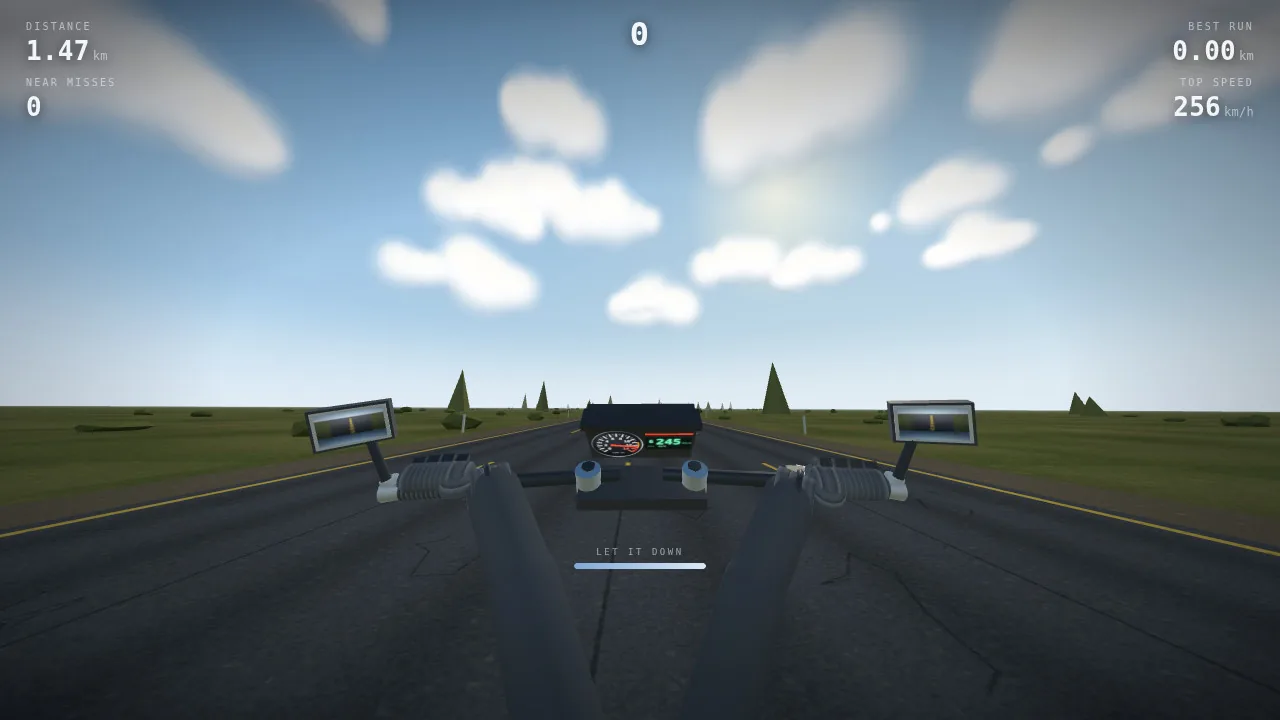
翘头:车头抬起,视野仰向天空。仪表下方的进度条显示还有多久就会向后翻车。
第 2 轮,第 208 次模型调用
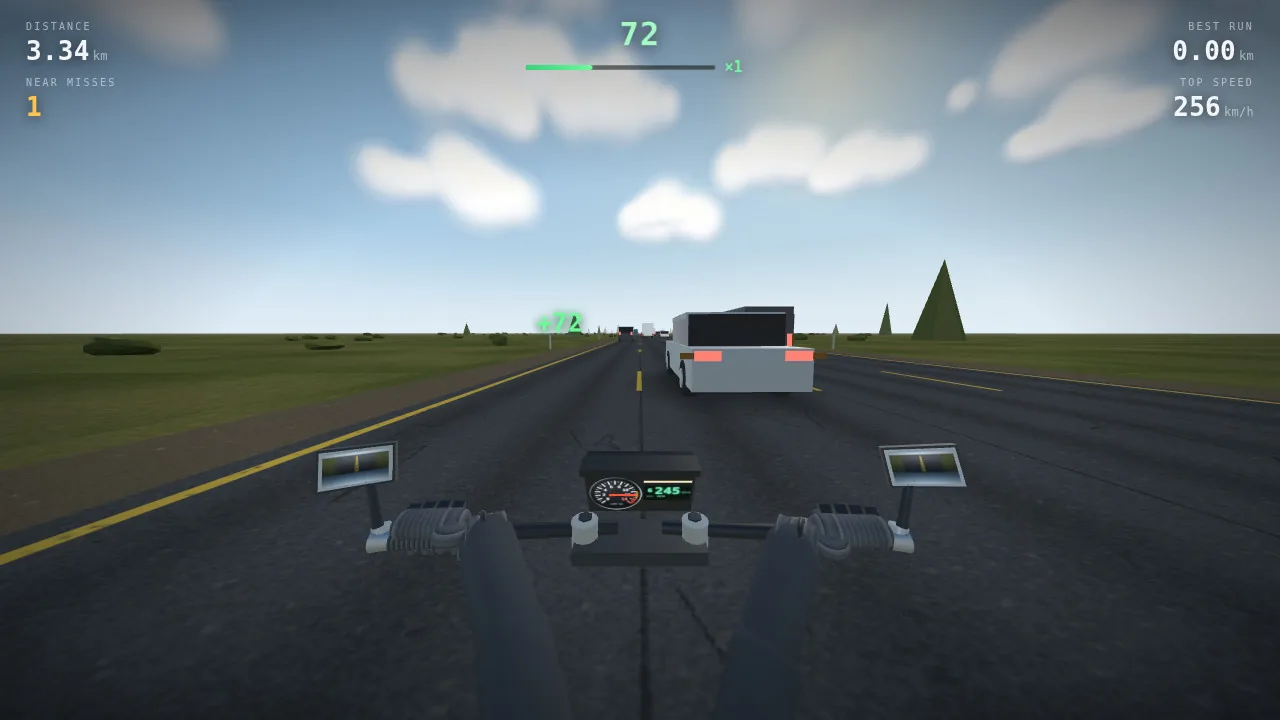
擦车得分:绿色的 +72 弹了出来,顶部的连击条开始变长。
第 2 轮,第 208 次模型调用
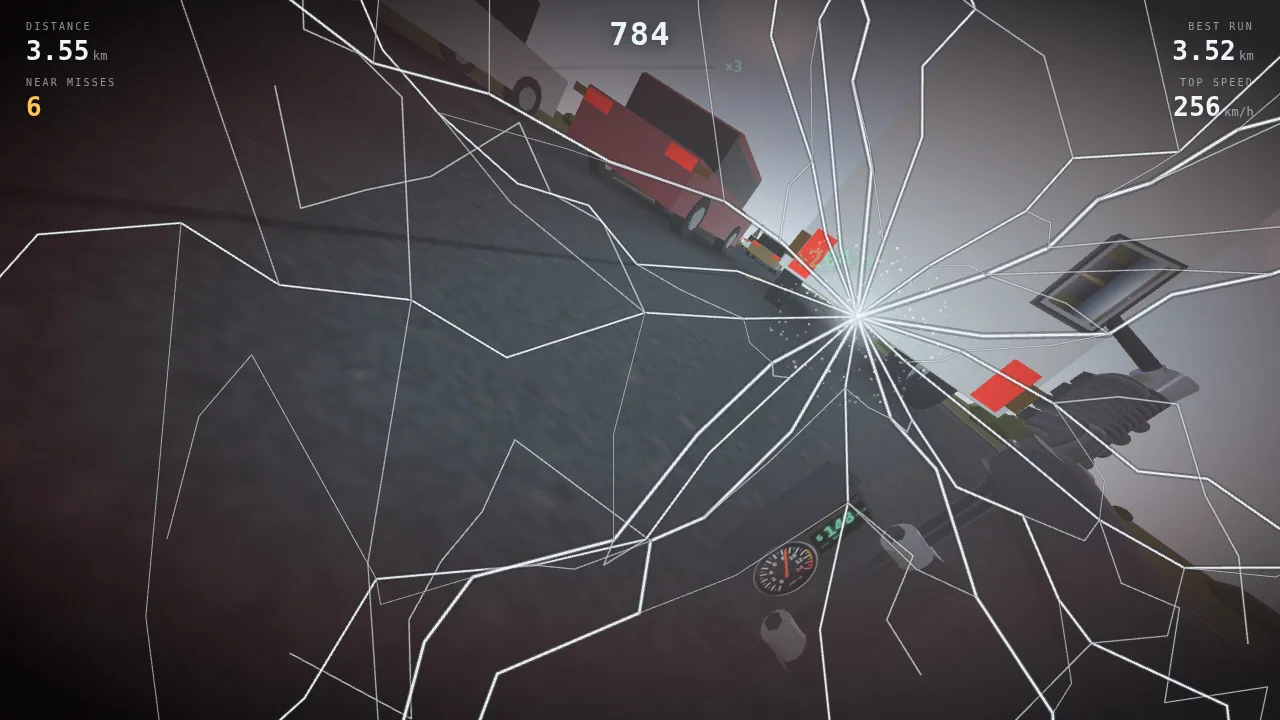
摔车:面罩在撞击的一侧裂成星状,画面被甩向一边。
第 3 轮,第 277 次模型调用
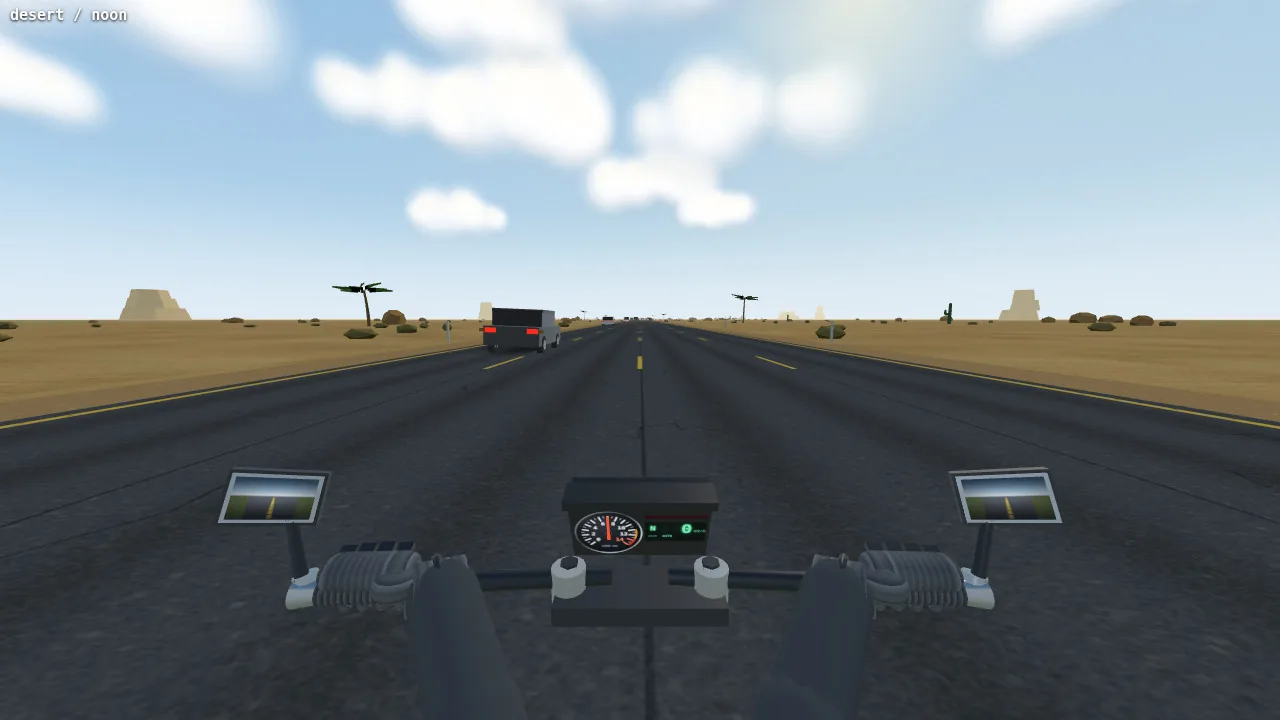
正午的沙漠:砂岩台地、棕榈树和仙人掌。这张和后面六张截图来自 Agent 自己写的测试页面,画面里只有场景和摩托车,没有 HUD,左上角标着场景名。
第 3 轮,第 356 次模型调用
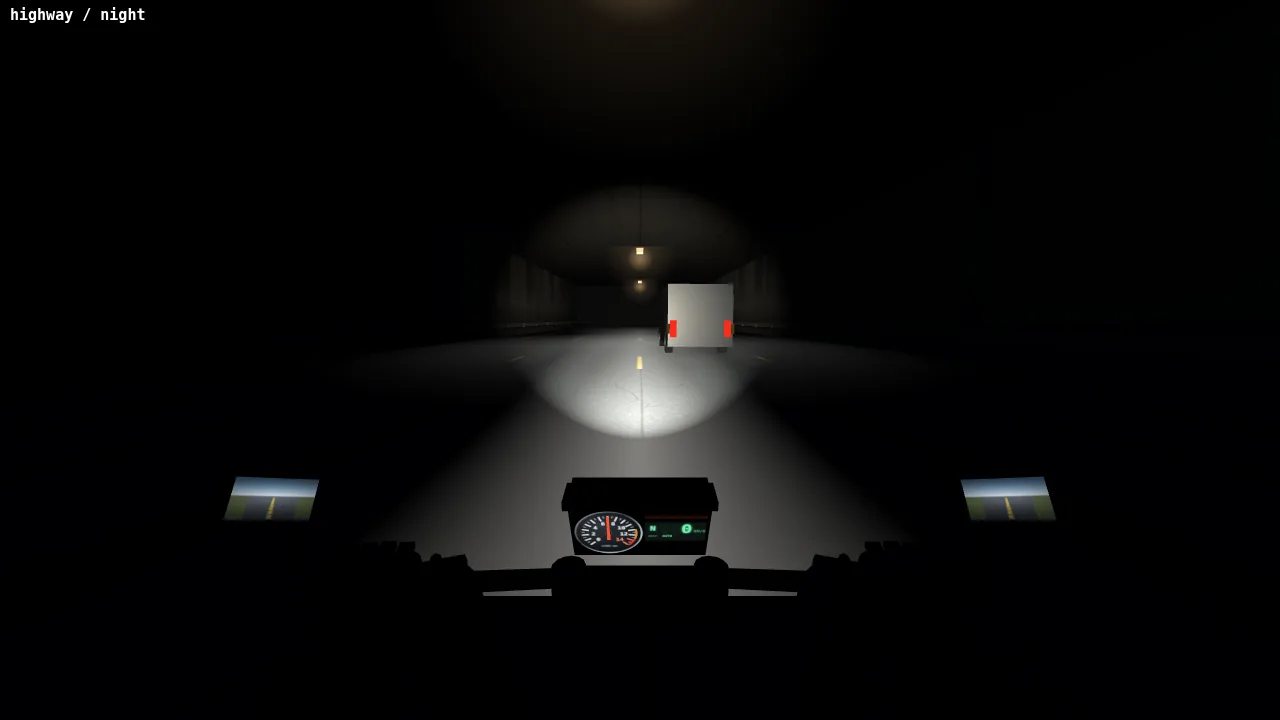
修复前:夜里的隧道中,车灯照亮了路面,车把和手套却是一片黑影。修复过程见下方隧道补光的节选。
第 3 轮,第 379 次模型调用
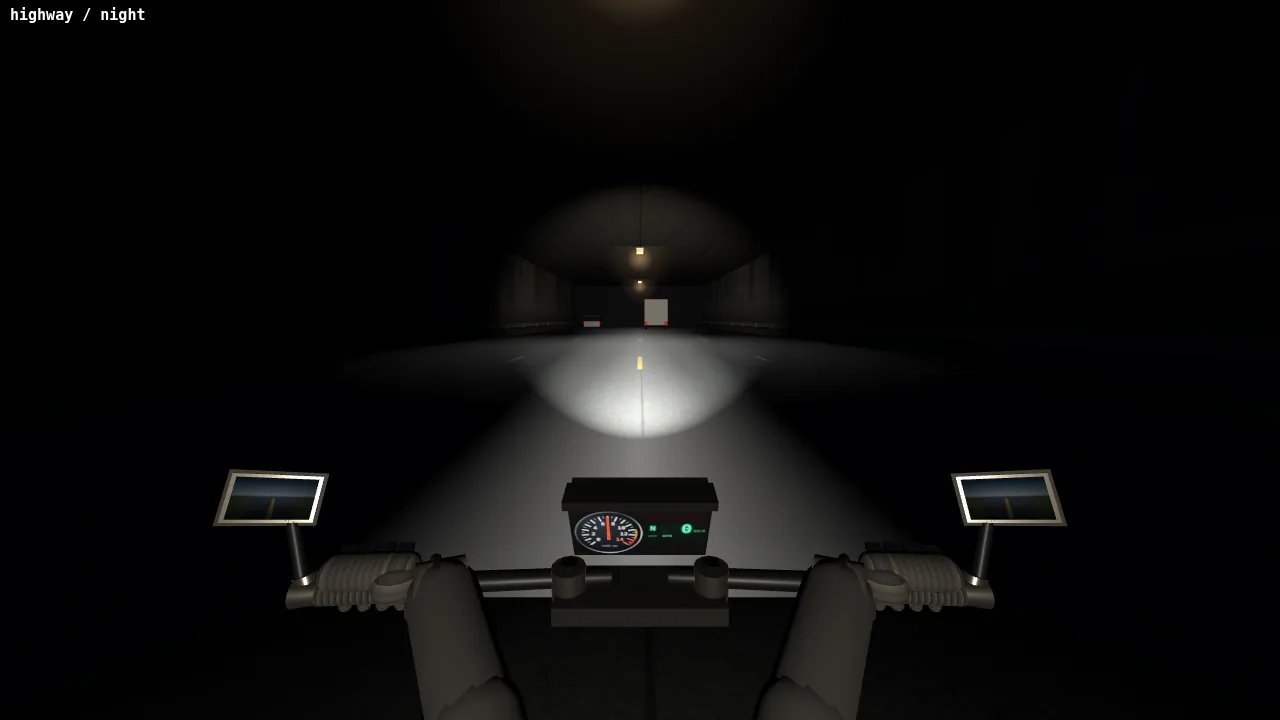
修复后:驾驶位上加了一盏只照两米左右的灯,车把、握把和手套显了出来,场景其余部分仍然是暗的(见下方隧道补光的节选)。
第 3 轮,第 388 次模型调用
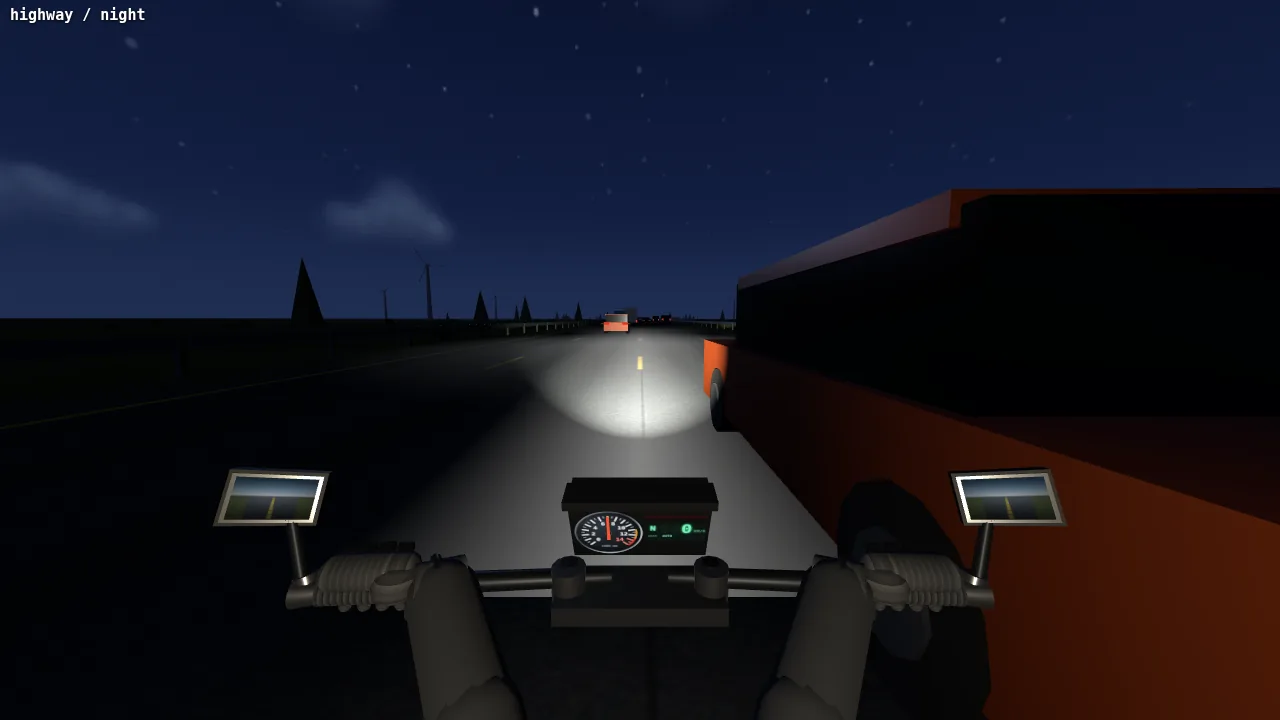
修复前:Agent 本想在前方偏左放一个小月亮,天上却没有。它第一次推算天空贴图在天空球上的映射时算错了(见下方关于月亮的节选)。
第 3 轮,第 391 次模型调用
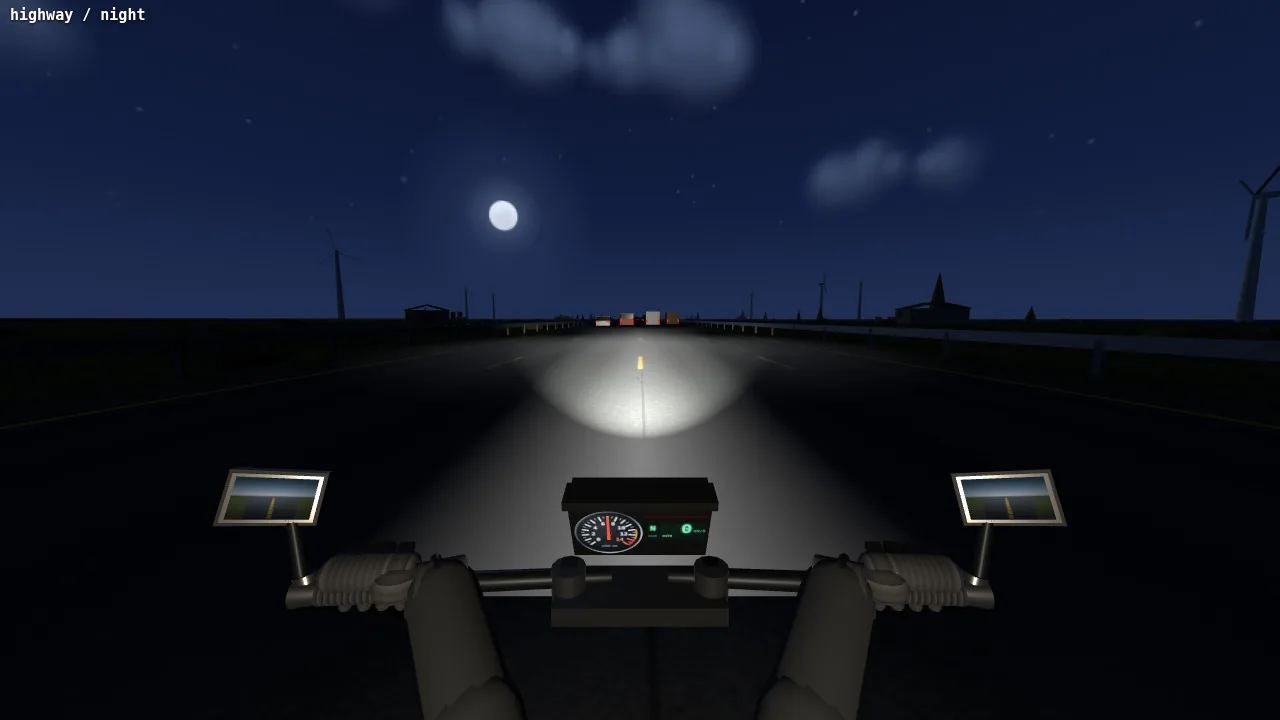
修复后:映射算对了,月亮出现在前方偏左的星空里,地平线上是风力发电机(见下方关于月亮的节选)。
第 3 轮,第 461 次模型调用
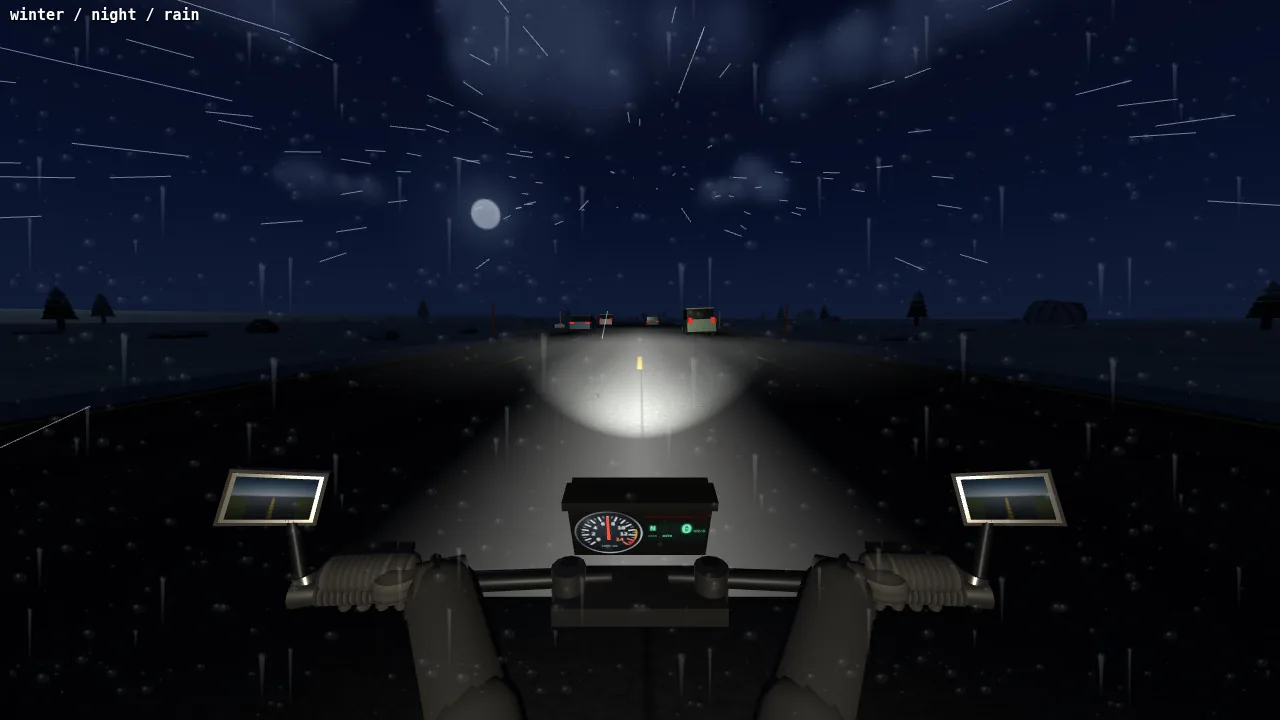
雨夜的雪原:镜头上的雨痕、黑色的松树、月亮,还有路面上的车灯光锥。
第 3 轮,第 498 次模型调用
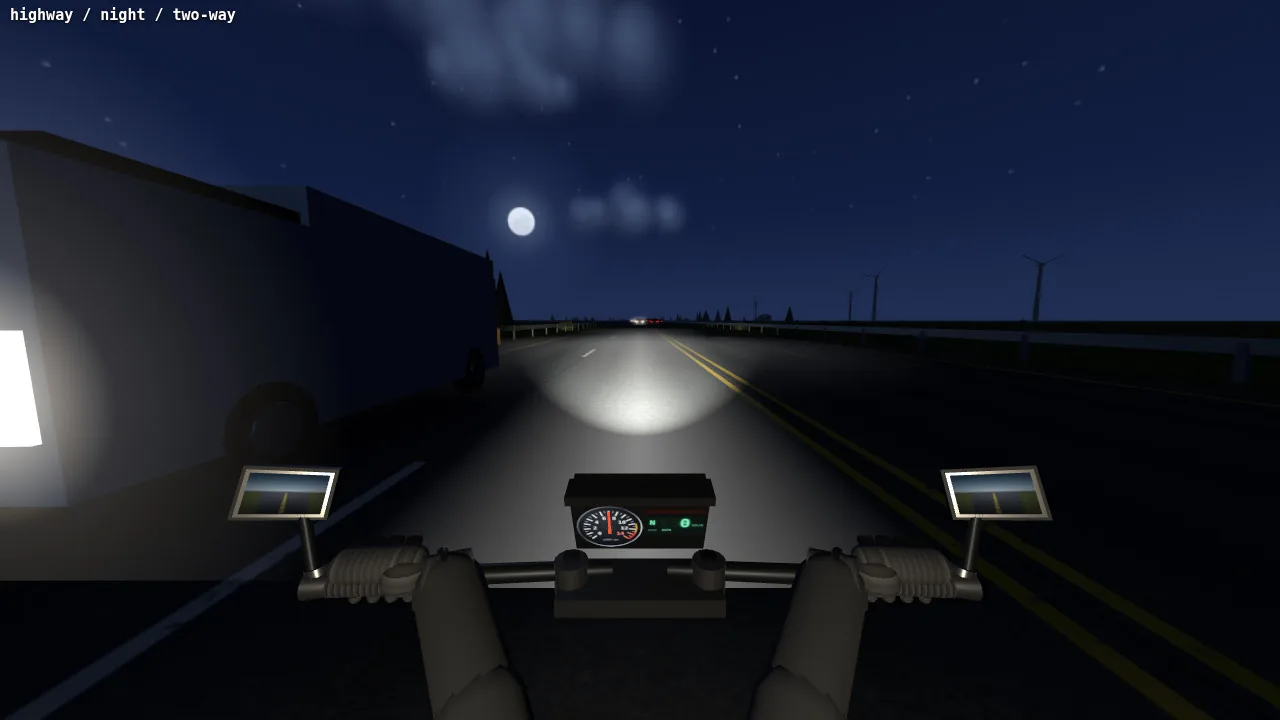
夜间双向行驶:对向的卡车开着大灯从左侧驶过。
完成版
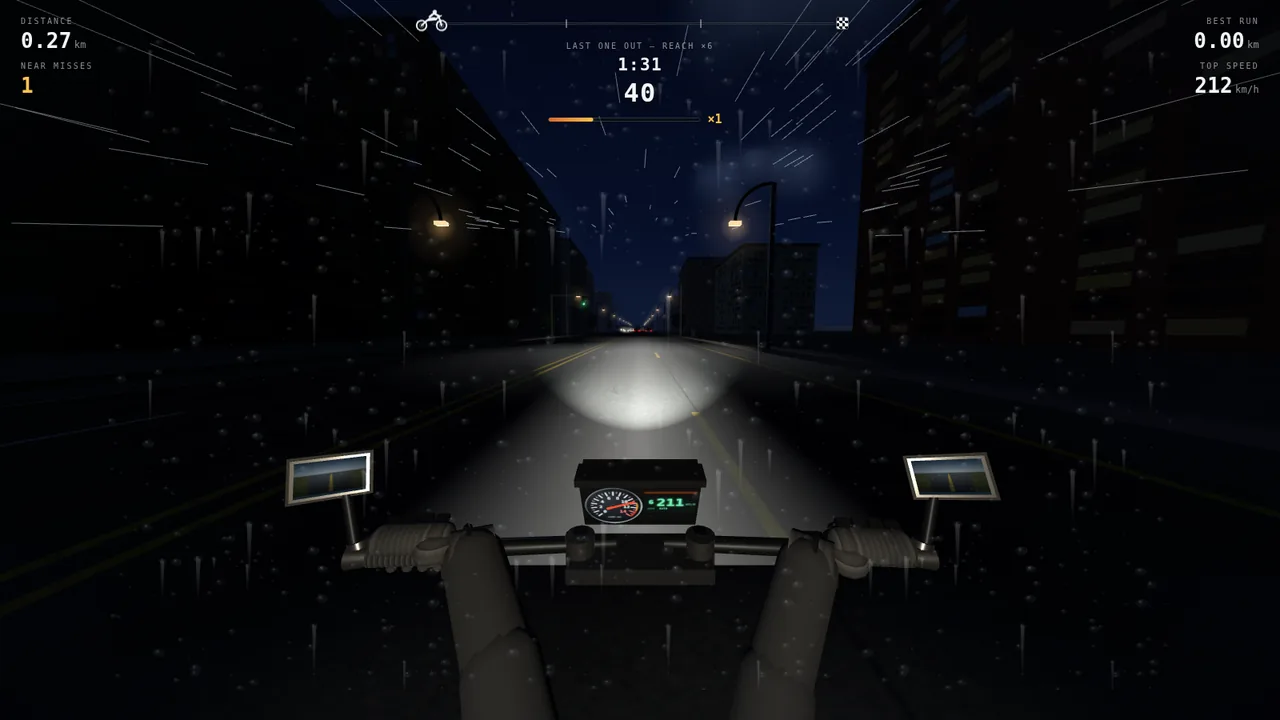
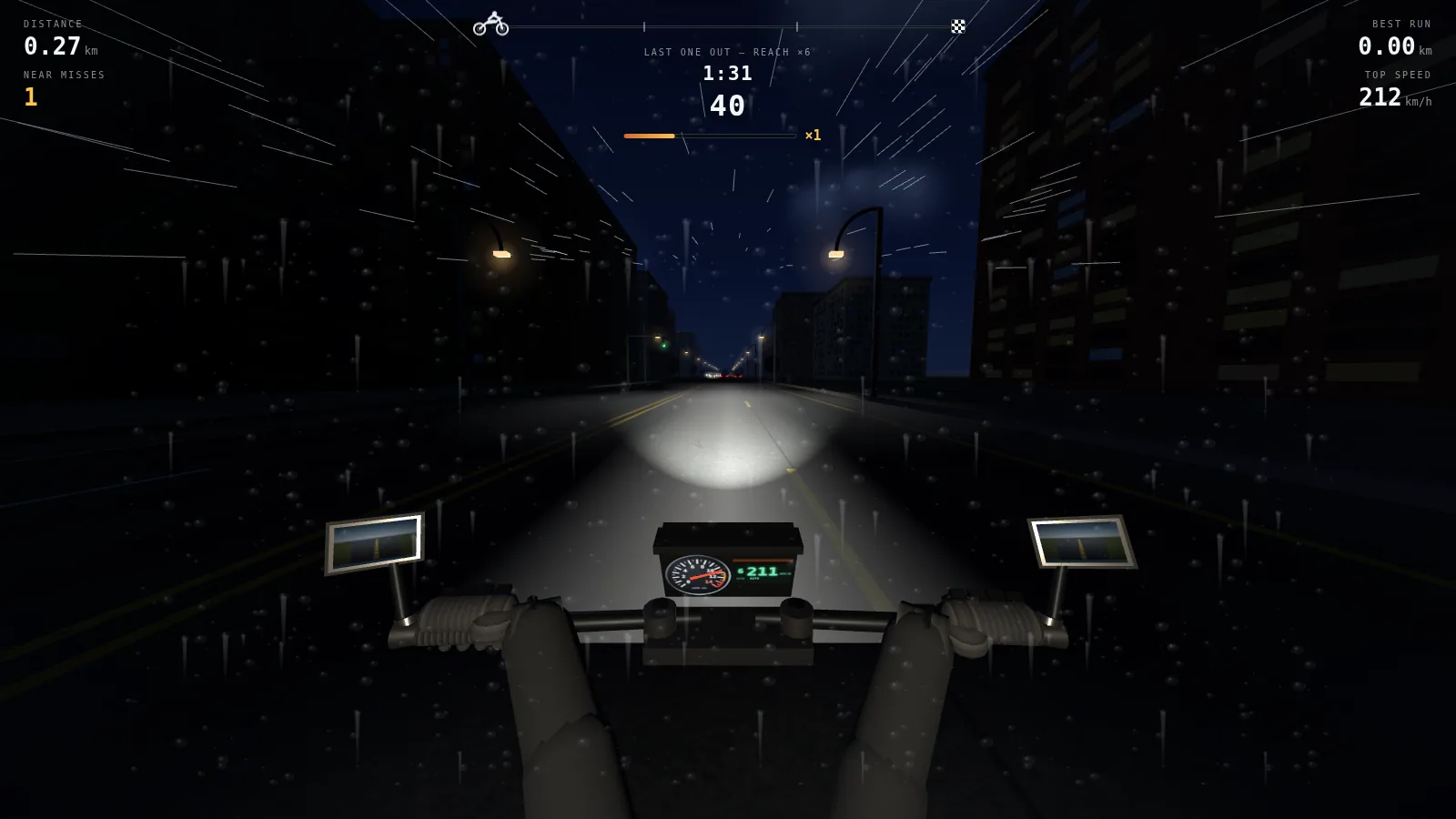
生涯模式第 8 个任务:雨夜的城市。顶部是任务名和目标、进度条和计时。
结果
- 需求轮数
- 3
- 模型调用次数
- 550
- 工具调用次数
- 559
- 输出 token
- 68 万
- JavaScript 行数(14 个模块)
- 7,095
- Agent 工作时长
- 3 小时 31 分
节选:把月亮放进夜空(第 3 轮,第 382–391 次模型调用)
- 思考
The night scene is looking good overall with the sky, stars, silhouetted landscape, and vehicle lighting all in place. I need to check if the night sky texture includes a moon since that's specified in the brief…
- 工具调用 Edit
// Sits ahead and a little left, low enough to stay in frame from the // saddle. Small: the brief asked for a cold one, not a harvest moon. moon: { x: 0.505, y: 0.425, r: 0.010 }, - 工具返回 Read
[图片:上方第 388 次模型调用的截图,天上没有月亮]
- 思考
The moon should be visible around y ≈ 120 pixels given its elevation angle of 13.5°, but it's not appearing in the frame, which suggests my assumptions about the coordinate mapping might be off. …

Let me work through the three.js sphere geometry UV mapping directly. At u=0 the direction points along -x, at u=0.25 it points along +z, at u=0.5 it's +x, and at u=0.75 it points straight ahead along -z. … Working out the azimuth angles: the evening sun at u=0.66 corresponds to about 32° right of straight ahead, which matches the sunDir vector. Since decreasing u moves right, I can position the moon ahead-left by 22° at u = 0.75 + 22/360 ≈ 0.811. …
- 工具调用 Edit
moon: { x: 0.811, y: 0.425, r: 0.010 }, - 工具返回 Read
[图片:上方第 391 次模型调用的截图,月亮在前方偏左]
- 思考
The moon's visible now with a soft glow, and the night highway is looking good. …
节选:给隧道里的驾驶位补光(第 3 轮,第 356–379 次模型调用)
- 工具返回 Read
[图片:上方第 356 次模型调用的截图,车把和手套是一片黑影]
- 思考
… The cockpit is nearly invisible at night because the fill light gets multiplied by the tunnel's dim factor, which drops it to almost zero. The headlight is on, so there should be some light bouncing off the road back onto the bars and hands, but they're completely dark. I'm thinking about adding a headlight-dependent bounce component to the fill light calculation so it maintains visibility inside the tunnel while still respecting the overall darkness. …
- 思考
… I'm experimenting with fill light intensity — raising it to 0.45 would add more bounce … inside the tunnel, but that same intensity would wash out the night sky in open areas since
wantis 1 at night everywhere. Instead of adjusting the global fill, I should add a dedicated low-intensity point light attached to the cockpit position with a short range so it only illuminates nearby geometry like the bars and hands. - 工具调用 Edit
// … Some of the beam comes back off the
// tarmac, and the instrument face glows; without either, the bars and the
// gloves are a flat black cut-out at night and in a tunnel. The range is
// deliberately about two metres, so it lights the cockpit and nothing else.
this.cockpitGlow = new THREE.PointLight(0xffe7c2, 0, 2.6, 2);
this.cockpitGlow.position.set(0, 1.02, 0.30);
this.scene.add(this.cockpitGlow);
- 工具返回 Read
[图片:上方第 379 次模型调用的截图,车把、握把和手套被照亮]
- 思考
… The gloves are sitting at mid-grey which feels a touch too intense for a tunnel environment, so I'll pull that back to 1.35. …
- 工具调用 Edit
this.cockpitGlow.intensity = want * 1.35;
样例 2 / 3
Headcount:人群过门,人数时增时减
一群胶囊状的小人沿着水面上的道路往前跑,每穿过一扇门,人数就按门上的数字加、减、乘或除。四轮需求一步步把它做大:先是过门增减人数的核心玩法,然后是会互相推挤的人群、各种障碍和红色敌方人群,接着是有终点的完整关卡(四套配色、终点阶梯、Boss),最后是开始界面、升级、皮肤商店和音效。开发中 Agent 共查看自己游戏的截图 64 次,下面按时间顺序选了其中 10 张,最后再附一张完成版的画面;两段节选讲的是两组前后对比背后的修改。
各轮需求
- 第 1 轮 核心玩法:人群沿水面上的浅色道路自动前进,玩家左右操控;成对的门对人数做加减乘除,人数显示在人群上方。
- 第 2 轮 人群和障碍:每个小人都是独立的身体,跟队时慢半拍,转向时会侧倾;路上有大锤、锯片、大拍子、地刺和断路;红色敌方人群,相撞后双方一个个倒下;窄道;难度逐步上升。
- 第 3 轮 有终点的关卡:四套配色,从天空到道具整体轮换;低多边形场景;终点阶梯,越往上倍率越高;不时出现 Boss 关;金币和关卡进度存档。
- 第 4 轮 局外内容:设在 3D 场景里的开始界面,两项越升越贵的升级,胜负结算,打败 Boss 后的奖励转盘,皮肤商店,合成音效,本地存档。
Agent 开发中自查的截图(按时间顺序),最后一张是完成版
第 1 轮,第 74 次模型调用
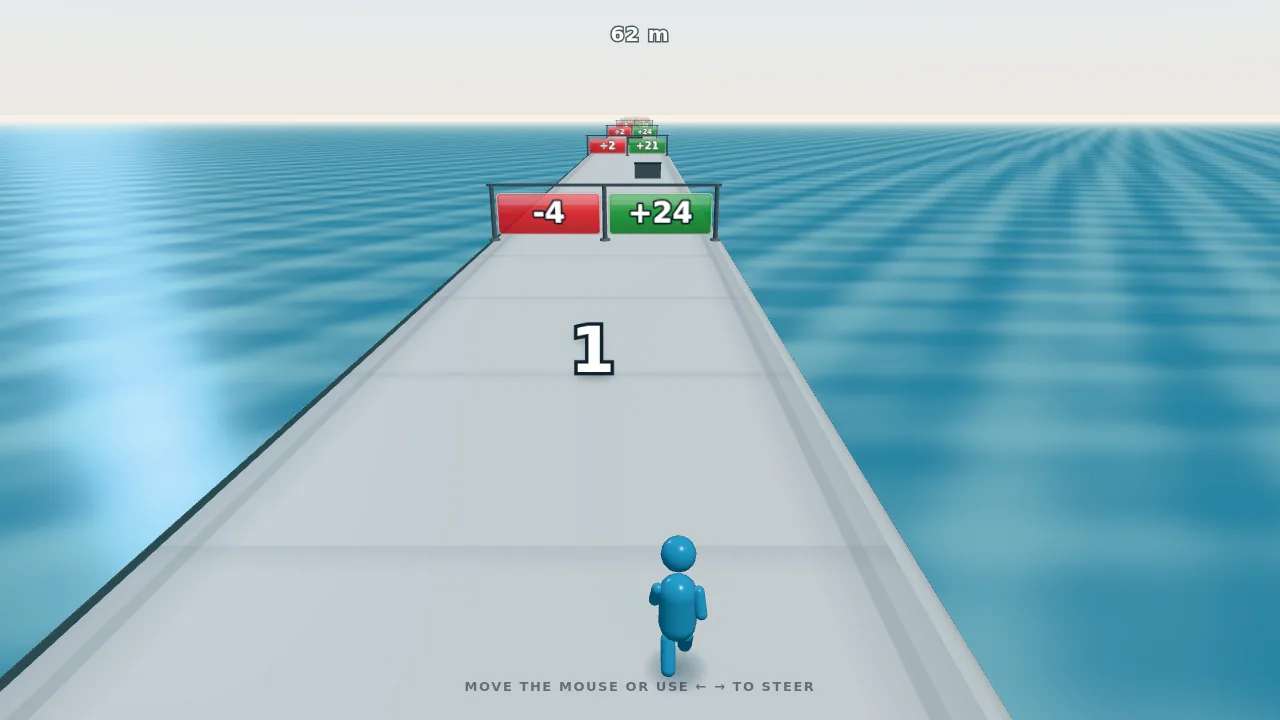
修复前:Agent 查看的第一张截图,一个小人跑向 −4 / +24 两扇门。道路左边缘那条暗线,就是下方路边暗线那段节选追查的问题。
第 1 轮,第 101 次模型调用

Agent 自己截取并放大五倍的近处左侧路沿:水面和路面之间夹着一条深青色的带子。在路边暗线那段节选里,它在逐个隐藏物体排查之后、动手修复之前看了这张图。
第 1 轮,第 124 次模型调用
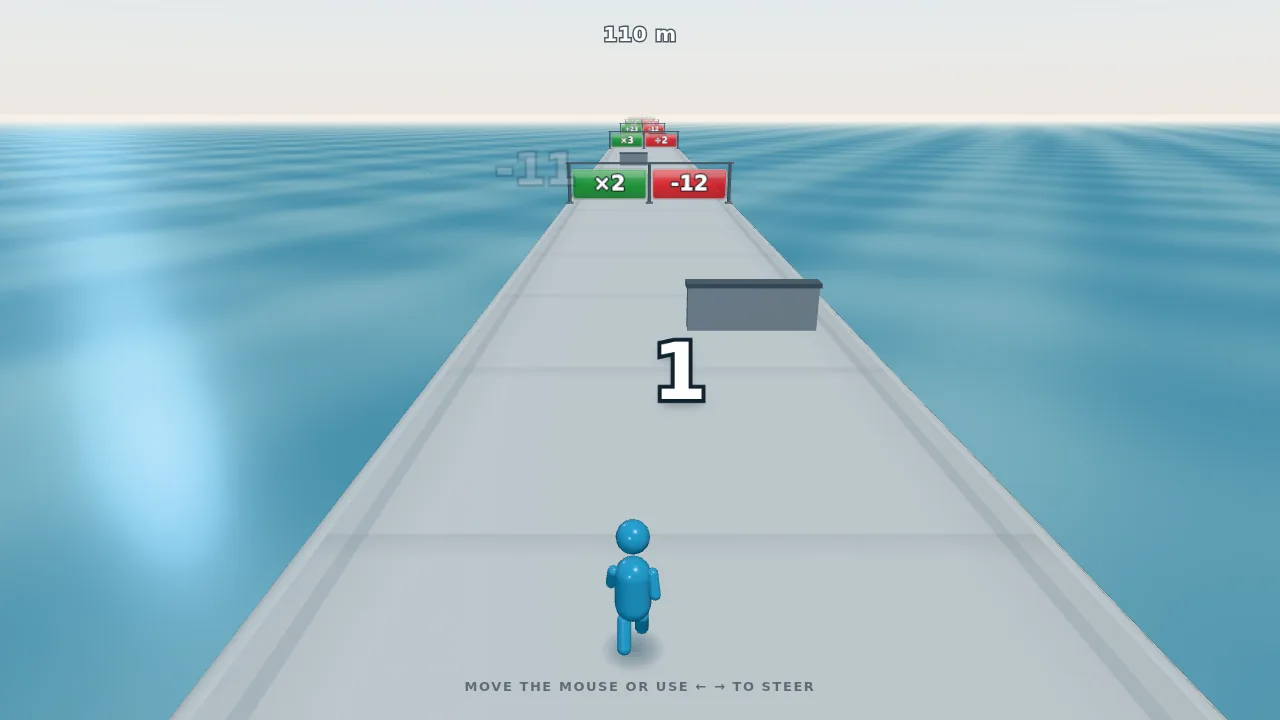
修复后:新开的一局(门的位置随机),道路左边缘干净了。原因是一侧路肩的三角形绕序朝里(见下方路边暗线那段节选)。
第 2 轮,第 257 次模型调用
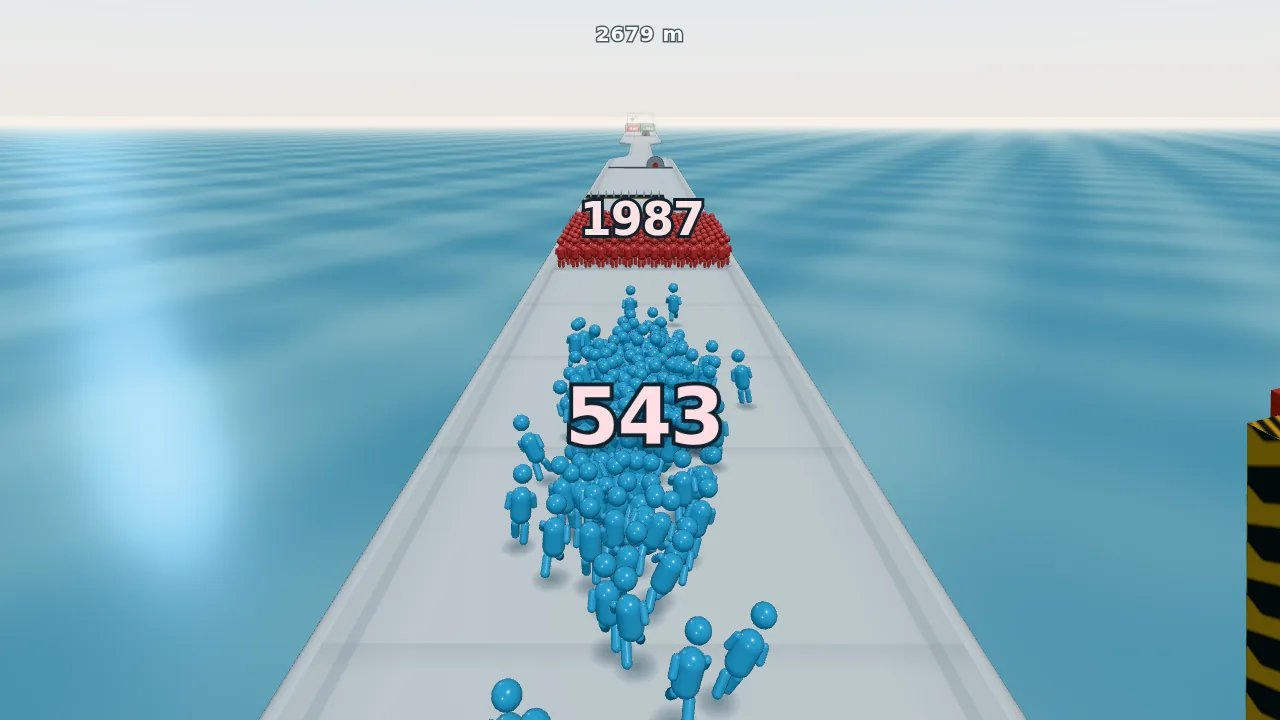
人数 543 的队伍冲向 1,987 人的红色人群。两队相遇时一个换一个地减员,这一仗必输。
第 2 轮,第 258 次模型调用
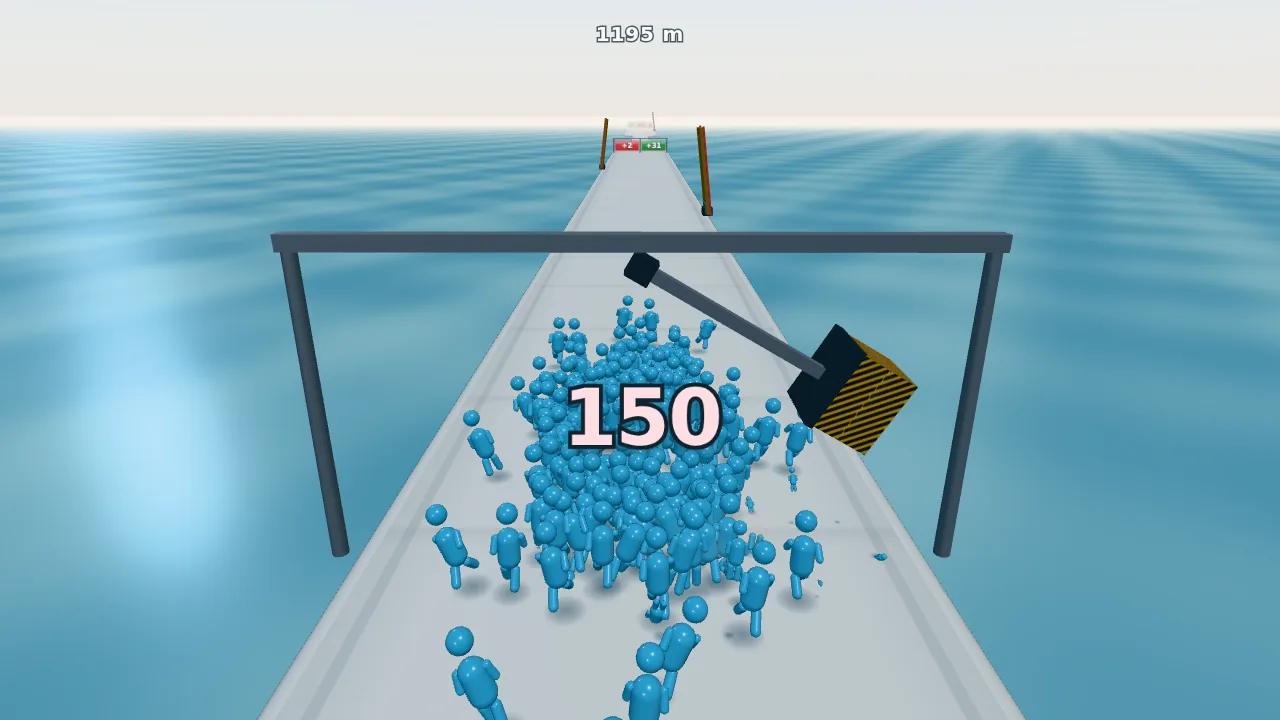
龙门架上的大锤横扫过人数 150 的队伍。被砸中的小人飞出去,人数随之扣减。
第 2 轮,第 275 次模型调用
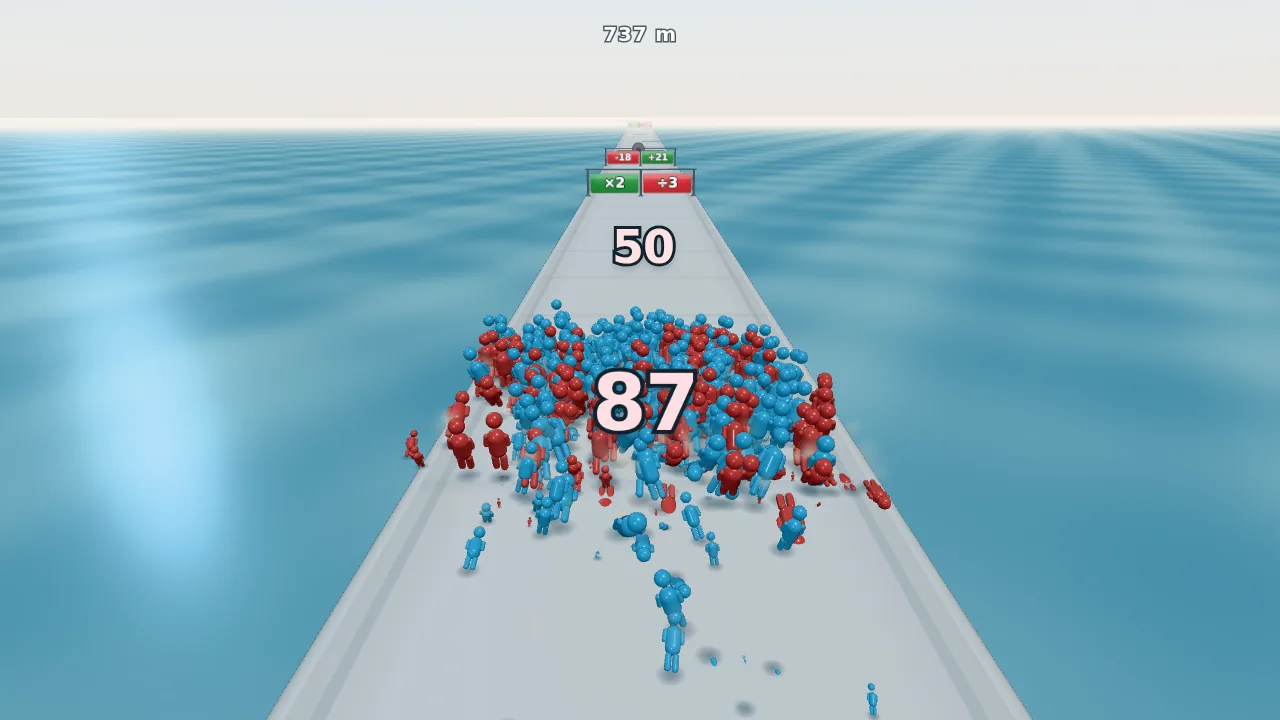
和红色人群混战:红蓝两色的小人混在一起,双方人数(87 和 50)一起往下掉,直到一方清空。
第 3 轮,第 449 次模型调用
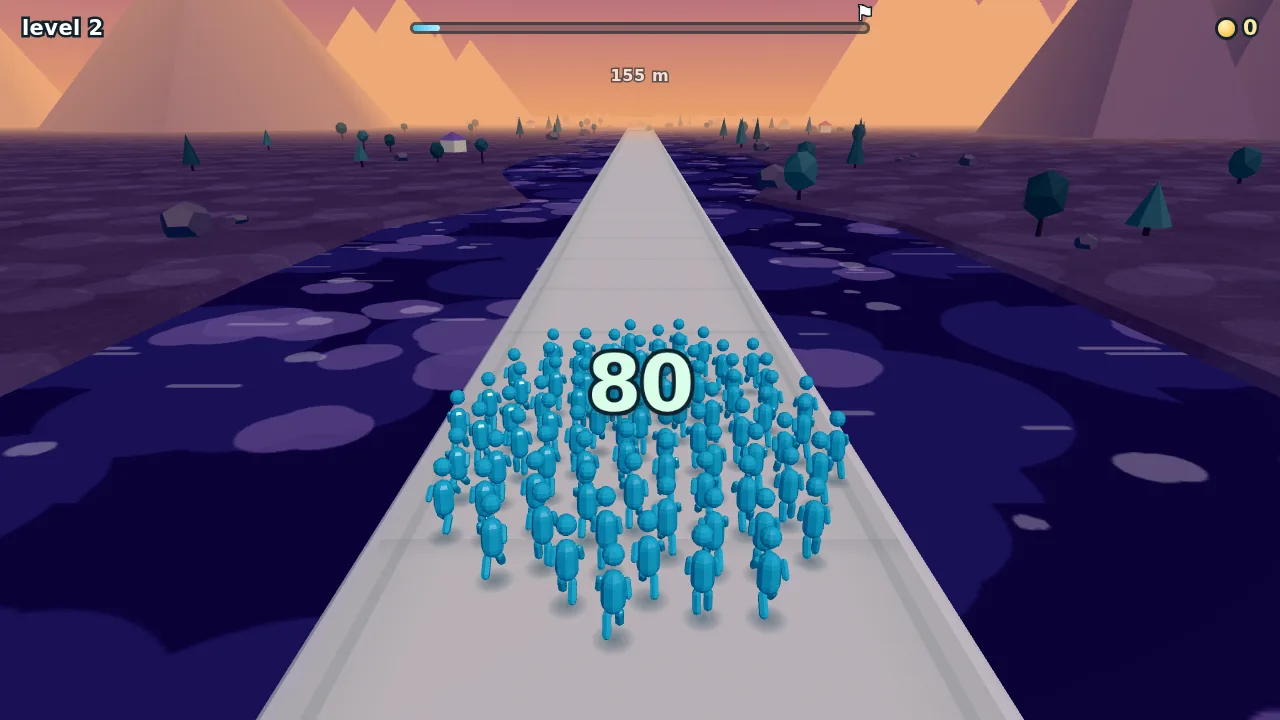
第 2 关的黄昏配色:紫色湖面上布满浅色斑块,岸上是低多边形的树、石头、房子和山。天空、水面、地面和道具的颜色每关一起换。
第 3 轮,第 456 次模型调用
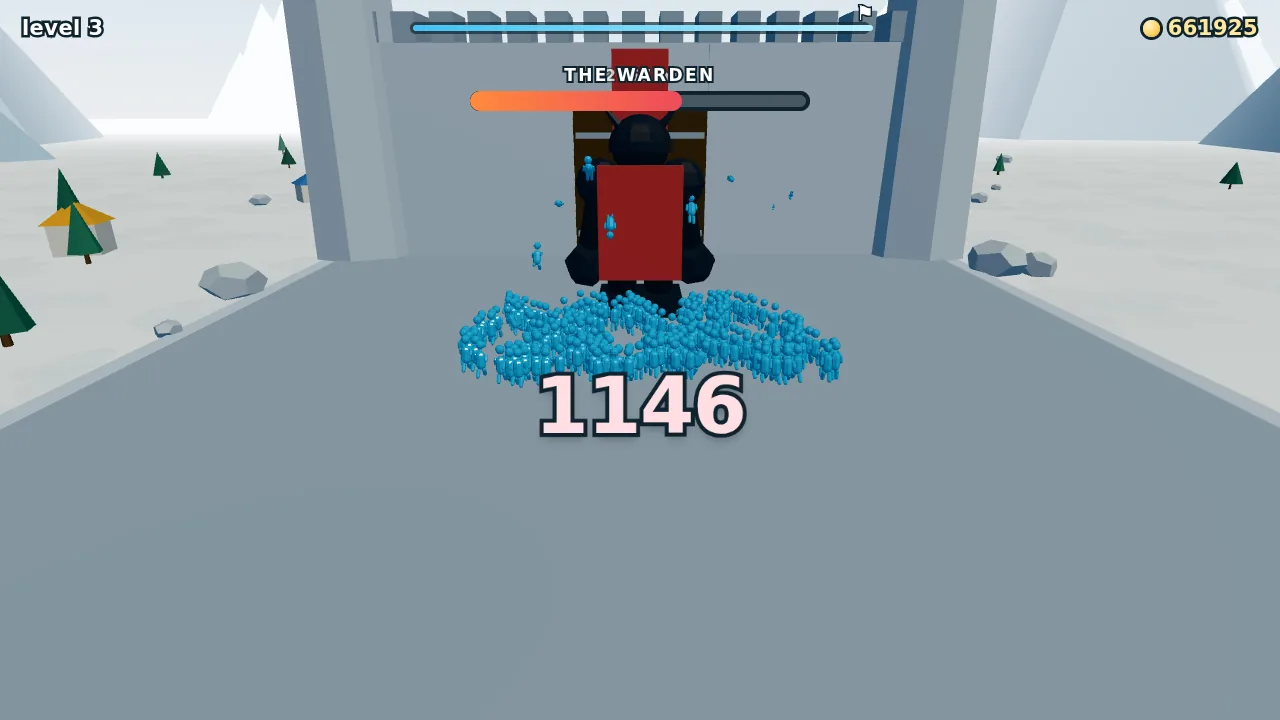
修复前:Boss 的第一版。Agent 看了这张截图后指出三处问题:他背对人群,空荡荡的广场占了大半个画面,名字压在进度条下方的距离读数上(见下方 Boss 那段节选)。
第 3 轮,第 533 次模型调用
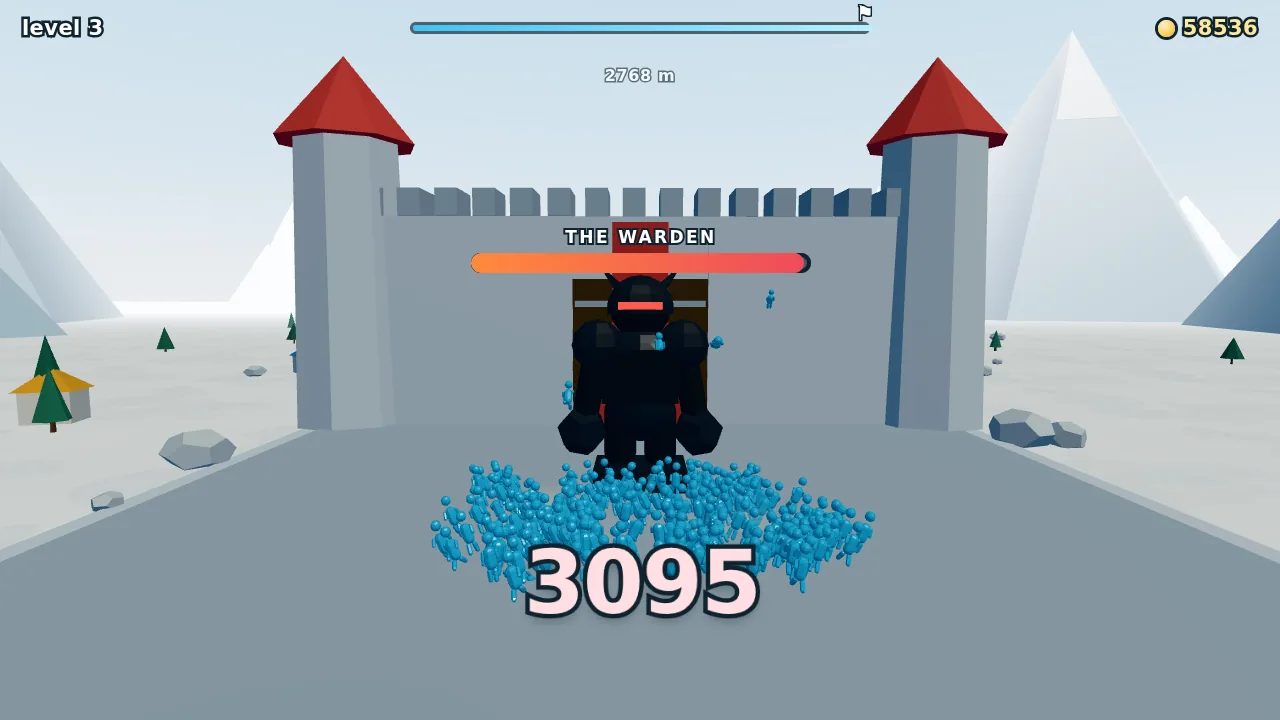
修复后:巨人转身面对人群,专为这场战斗设的镜头把他和城门一起框进画面。Agent 看了这张图后,又把他的名字条挪到了角的上方。
第 4 轮,第 709 次模型调用
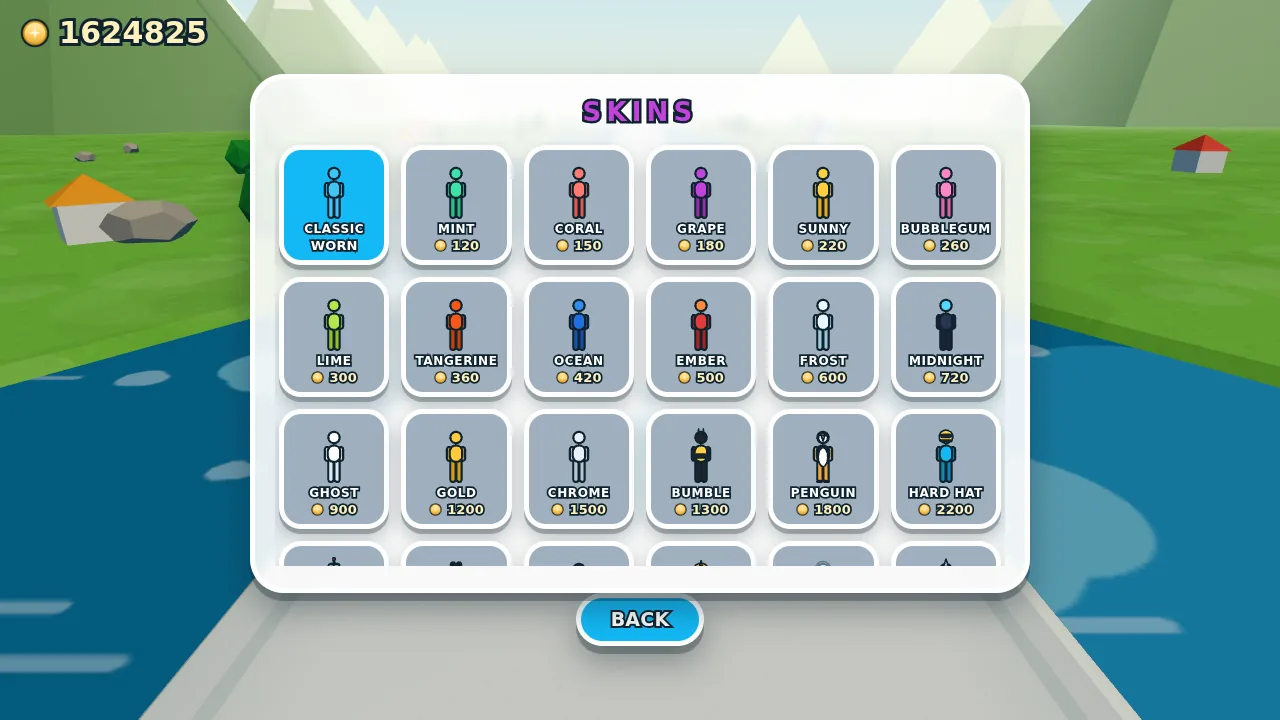
皮肤商店:换色款和搞怪造型,用金币购买。
完成版
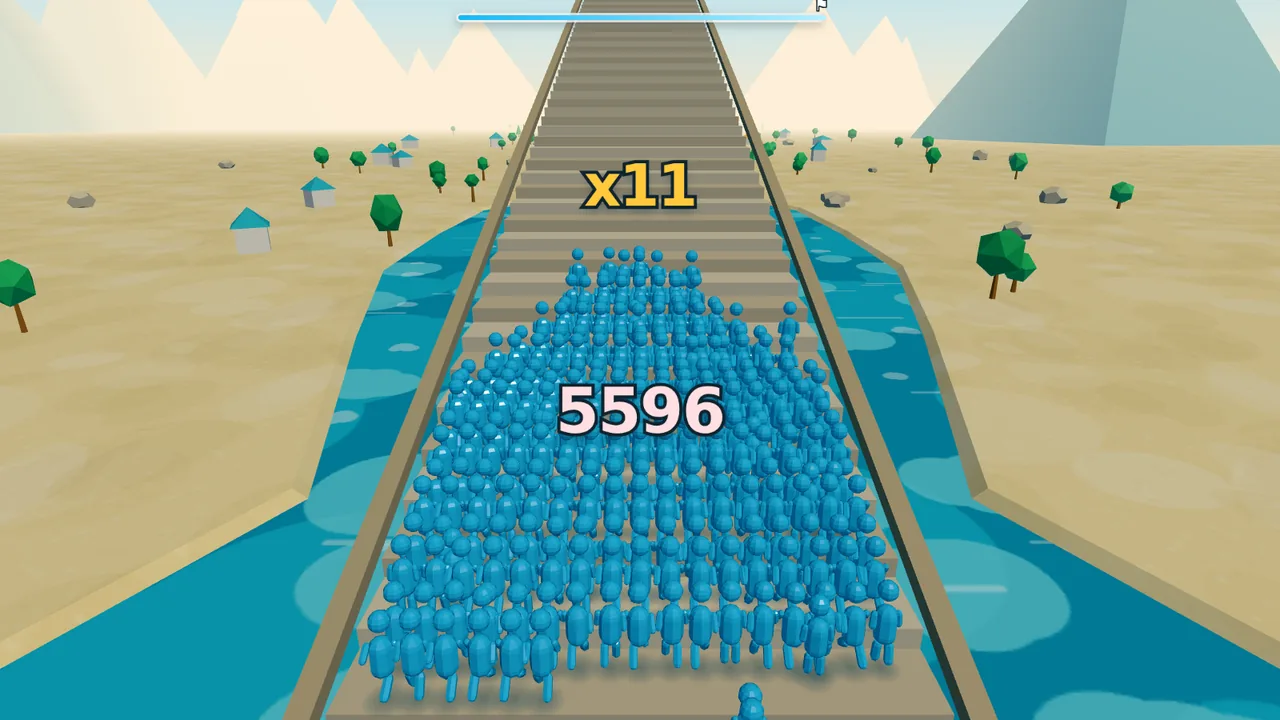
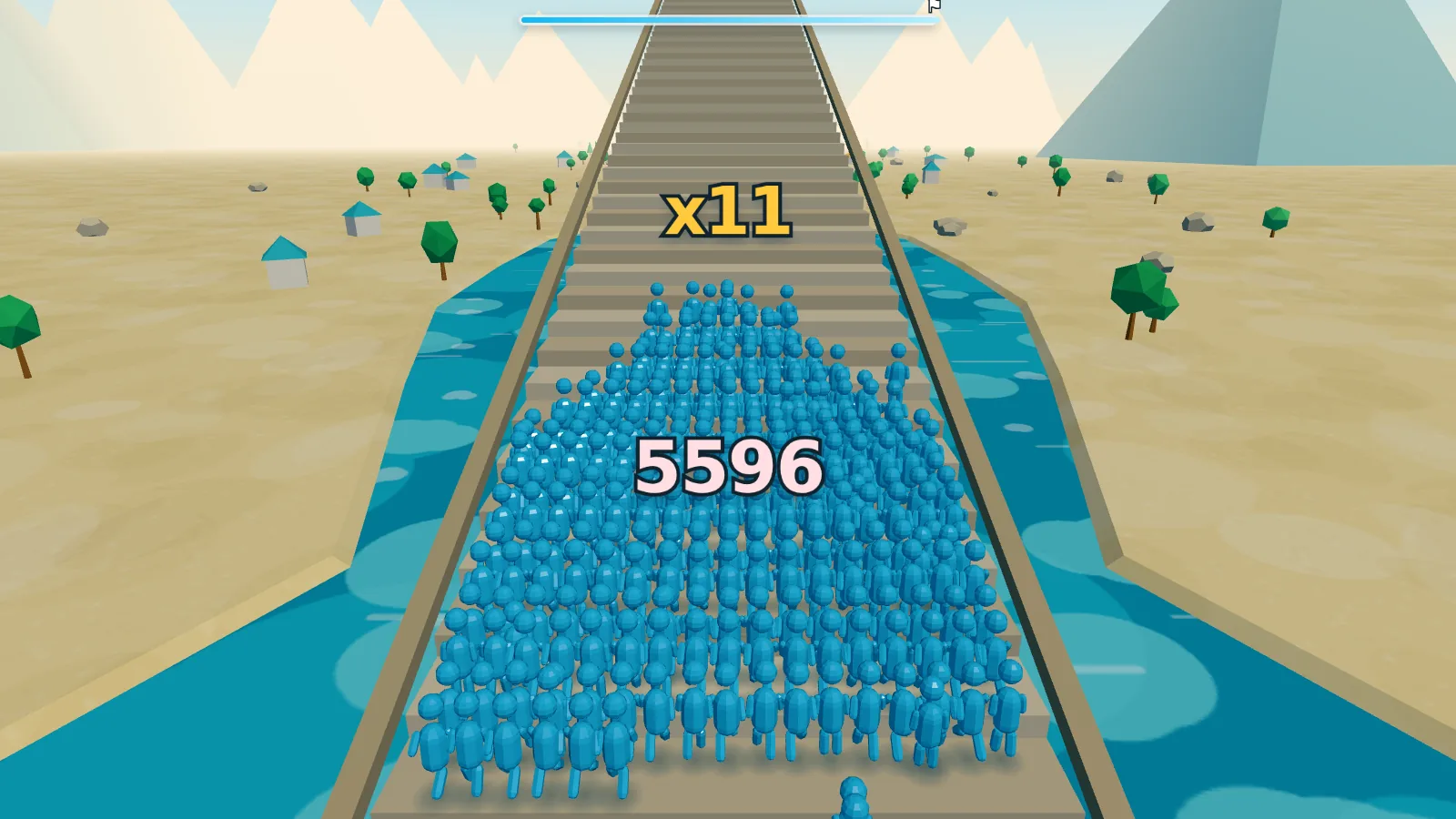
终点阶梯上,队伍人数 5,596,已经爬到 ×11 那一级;这一关的配色是青绿和沙色。
结果
- 需求轮数
- 4
- 模型调用次数
- 739
- 工具调用次数
- 789
- 输出 token
- 92 万
- JavaScript 行数(23 个模块)
- 7,333
- Agent 工作时长
- 5 小时 22 分
节选:从路边暗线查到三角形绕序(第 1 轮,第 98–102 次模型调用)
- 工具返回 Bash
buffer 1280x720 dark samples: 2724 darkest pixels and what the ray through them hits: (572,209) #0c2427 lum=29 [{"geo":"PlaneGeometry","mat":"MeshBasicMaterial",…,"dist":38.6,…},…] … (644,641) #002b3e lum=32 [{"geo":"PlaneGeometry","mat":"MeshStandardMaterial",…,"dist":10.1,…},…] … - 工具返回 Bash
baseline dark pixels in left-edge band: 7223|82
 0 Mesh:SphereGeometry                7276|82
 1 HemisphereLight:0kids              10672|66
 2 DirectionalLight:0kids             29504|82
 3 DirectionalLight:0kids             8921|82
 4 Group:3kids                        9596|83
 5 Mesh:PlaneGeometry                 9498|83
 6 Mesh:CapsuleGeometry               7067|85
…
- 工具返回 Read
[图片:上方第 101 次模型调用的放大截图]
- 思考
I'm spotting a dark teal band about 15 pixels wide that sits between the bright water at the top and the road's white edge—that's the vertical wall of the skirt, which connects the roll-off bottom to the waterline. But it's showing up as teal rather than gray, which is unexpected. … Actually, I think I've found it—the
DoubleSidematerial combined with winding direction. For back-facing triangles on the left lip, three.js flips the normal in the shader, which would point the surface away from both the camera and the key light, producing that dark result. … So the left lip's shading normals are flipped, which makes that entire edge appear dark since it's being lit as if it's facing downward. The right side works correctly because its winding produces front-facing geometry. … - 工具调用 Edit
file_path: …/src/track.js
new_string:
  for (let i = 0; i < n - 1; i++) {
    const a = i * 2, b = i * 2 + 1, c = (i + 1) * 2, d = (i + 1) * 2 + 1;
    if (flip) indices.push(a, c, b, b, c, d);
    else indices.push(a, b, c, b, d, c);
  }
节选:让 Boss 转身,并重新安排镜头(第 3 轮,第 456–471 次模型调用)
- 工具返回 Read
[图片:上方第 456 次模型调用的截图,Boss 背对人群]
- 思考
I'm spotting critical issues with the boss scene composition. The camera is positioned too close and too low, leaving the plaza dominating the frame while the boss becomes a tiny figure at the top, mostly obscured by his own cape and the crowd around him.
…
Looking at the geometry more carefully, I realize the boss is actually facing away from the crowd toward the castle—his visor points in the negative Z direction while the cape extends toward positive Z, meaning we're seeing his back. He needs a 180-degree rotation to face the oncoming crowd properly.
…
There's also a UI collision issue where the boss health bar and name overlap with the progress bar at the top of the screen…
- 思考
…
To fix the orientation, I'm rotating the giant 180° so he faces the crowd directly, which also puts the cape on his back where it belongs. … With y = π facing him toward the crowd, a positive x rotation tips his head toward the camera, so I need to flip it to negative to make him fall backwards away from the camera—toward the castle doors that should open behind him.
…
Now I'm thinking about framing the fight by adding a camera focus override to the ChaseCamera so main.js can direct it to look at the boss during the encounter.
…
- 工具调用 Edit
file_path: …/src/boss.js old_string: … this.giant.rotation.set(0, 0, 0); new_string: … // Facing the crowd. The tilts applied later — the flinch, the topple — // ride outside this in the ZXY order, so they stay world-axis rotations // and keep meaning "knocked backwards" whichever way he is turned. this.giant.rotation.set(0, Math.PI, 0); - 工具调用 Edit
file_path: …/src/boss.js old_string: // He goes over backwards, stiff as a plank. … this.giant.rotation.x = e * (Math.PI / 2) * 0.98; … new_string: // He goes over backwards, stiff as a plank — away from the crowd, so he // does not land on the camera and the doors behind him stay in shot. … this.giant.rotation.x = -e * (Math.PI / 2) * 0.98; … - 工具调用 Edit
file_path: …/src/camera.js new_string: … /** * Frames a fixed point instead of trailing the crowd. The boss fight stops * dead in front of something twelve metres tall with a castle behind it, and * the trailing rig — twenty degrees down, six metres up — points at the * empty plaza while all of that happens off the top of the screen. … */ setFocus(at) { this.focus = at; } - 工具调用 Edit
file_path: …/src/boss.js
new_string:
  …
  /**
   * How the camera should frame the fight: chest height on the giant, a few
   * metres in front of him so the crowd piling in sits at the bottom of the
   * shot, seen from far enough back that he and the gate both fit.
   */
  get cameraFocus() {
    return {
      x: 0,
      y: CONFIG.road.surfaceY + 1.35 * S,
      z: this.bossZ + 4,
      back: 34,
      up: 3.2,
    };
  }
样例 3 / 3
Front of class:只用鼠标上完一天课
玩家扮演老师,一天的课由几个只用鼠标操作的小游戏组成,从批改看图测验到劝架都有,每天结束时按表现给星级、评语和游戏内工资。第 1 轮搭好教室和第一个小游戏,第 2、3 轮各加了三个,第 4 轮把它们串成生涯模式:小游戏逐日解锁,结算时停指针定工资倍率,接受聘书可以换班级,进度存在本地。截图按游玩顺序展示完成版。第一段节选里,第 1 轮的一次评分测试暴露出一个设计缺陷;第二段是第 3 轮结束时 Agent 对劝架的说明,以及它自行定下的两条规则。
各轮需求
- 第 1 轮 一间教室、一个小游戏:明亮的教室,镜头在讲台后;学生大头小身子,五官画在脸上;用对勾和叉的印章批改看图测验卷,最后打字母等级。
- 第 2 轮 加动效,再加三个小游戏:印章弹出时带起纸屑,批错时镜头抖动,学生按成绩高兴或垂头丧气,屏幕中央闪出大字;新增课堂提问、削铅笔、擦黑板。
- 第 3 轮 管纪律:抓作弊、用灭火器劝架、在走廊值勤,三个小游戏的鼠标用法各不相同,结束时都统计判断对了几次。
- 第 4 轮 生涯模式:每天从已解锁的小游戏里排课,结算界面给星级和工资,停指针定倍率,接受聘书换班后测验题材随之改变,可挑选老师并换服装,界面粗大圆润、手机上也能玩,音效全部合成,进度存在本地。
完成版,按游玩顺序
第 1 天 · 上课前
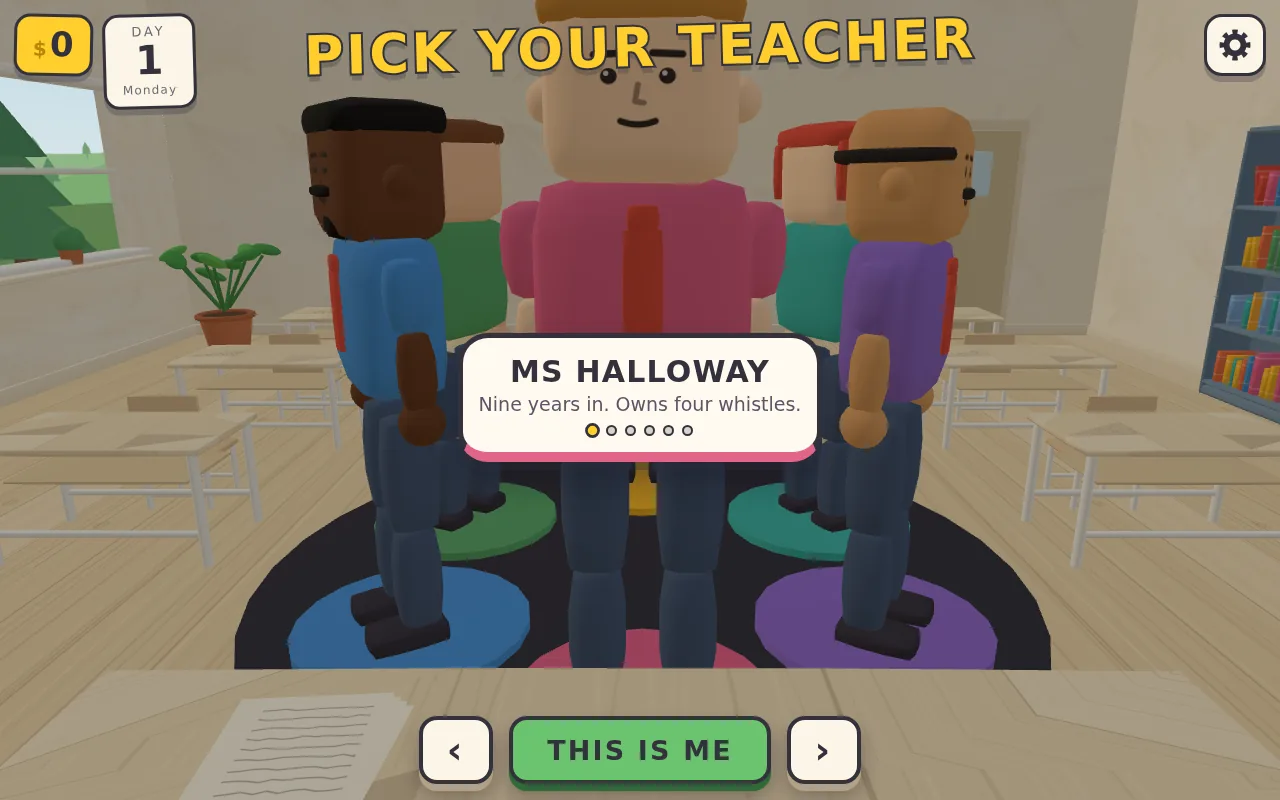
第一天开始前,从转盘上的六位老师里挑一位,每位都有名字和一句简介。
第 1 天
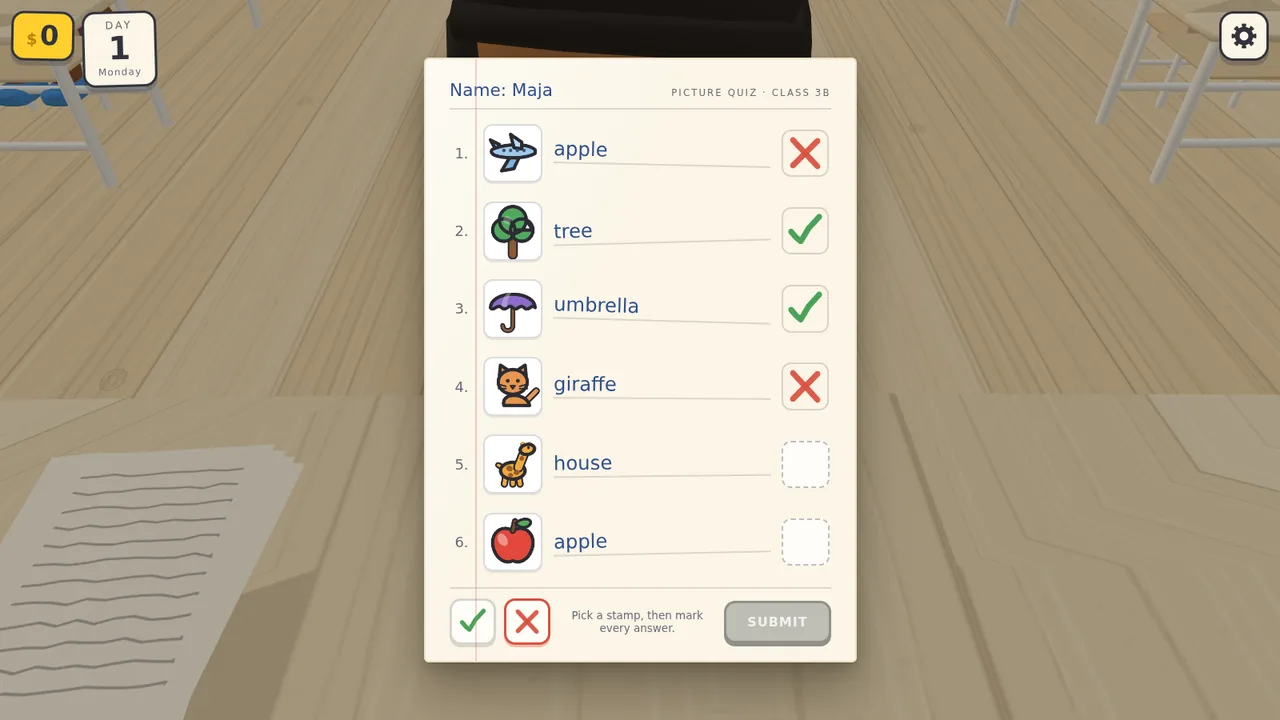
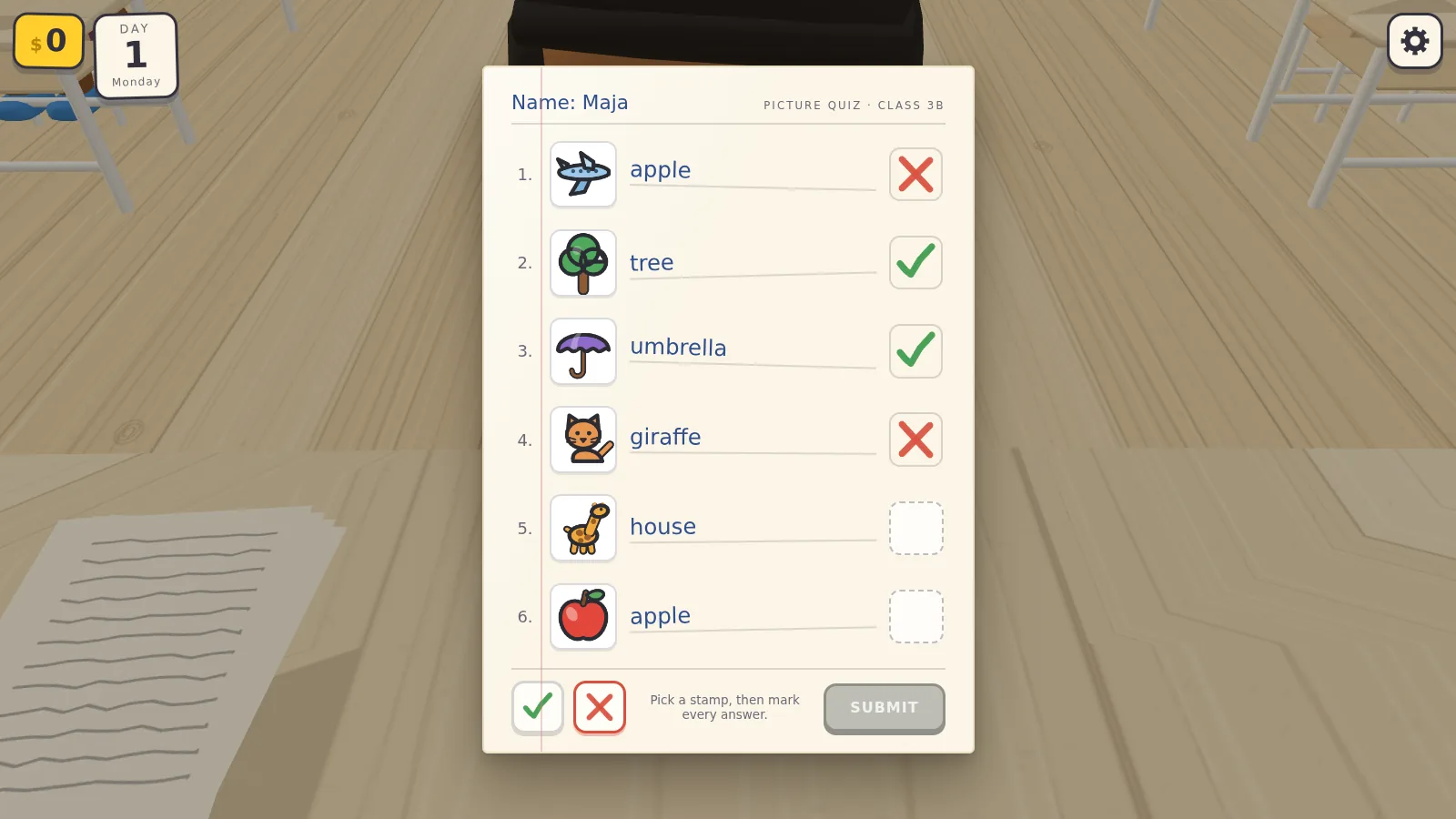
批改看图测验:写的答案和图对得上就盖对勾,对不上就盖叉,六题已批四题。交卷后检查批得对不对,再盖上字母等级;下方评分测试那段节选测的就是这条规则。
第 1 天
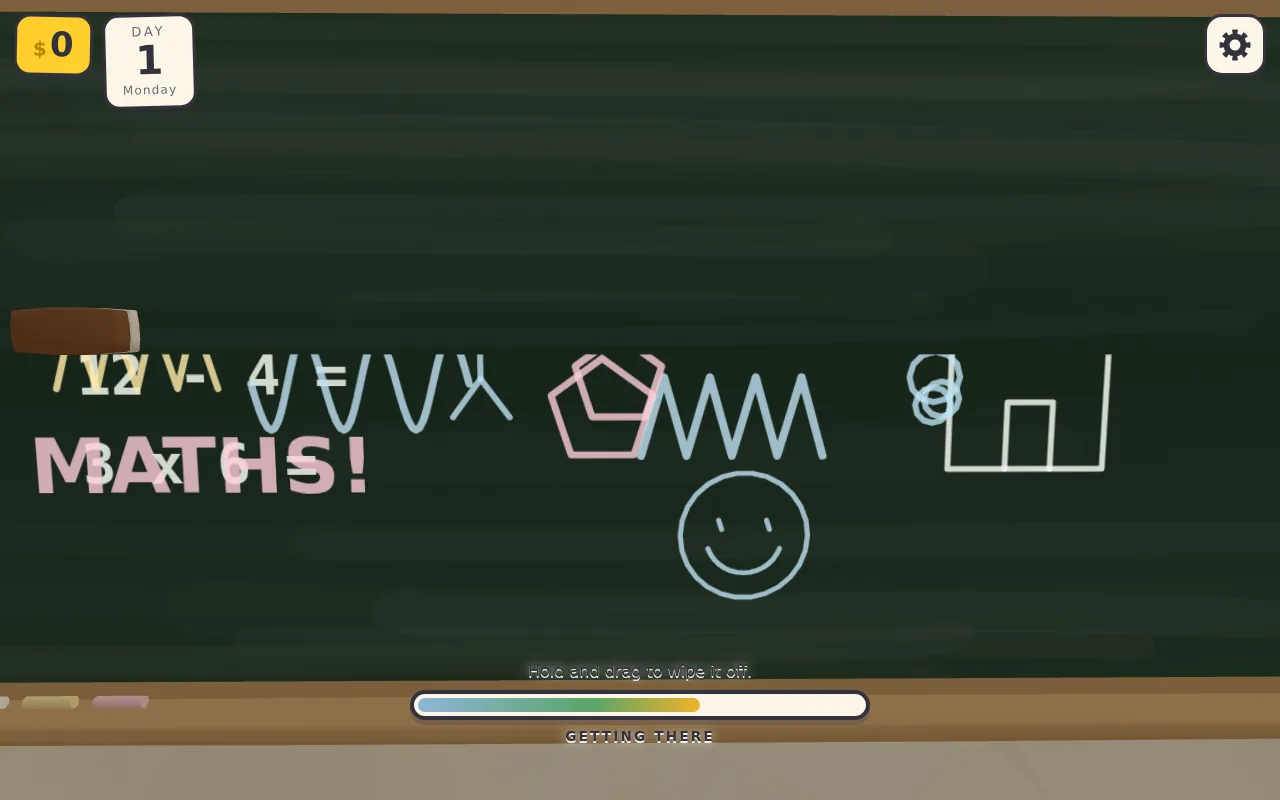
擦黑板:拖动板擦,一道一道擦掉粉笔涂鸦,上半块已经擦干净。
第 1 天
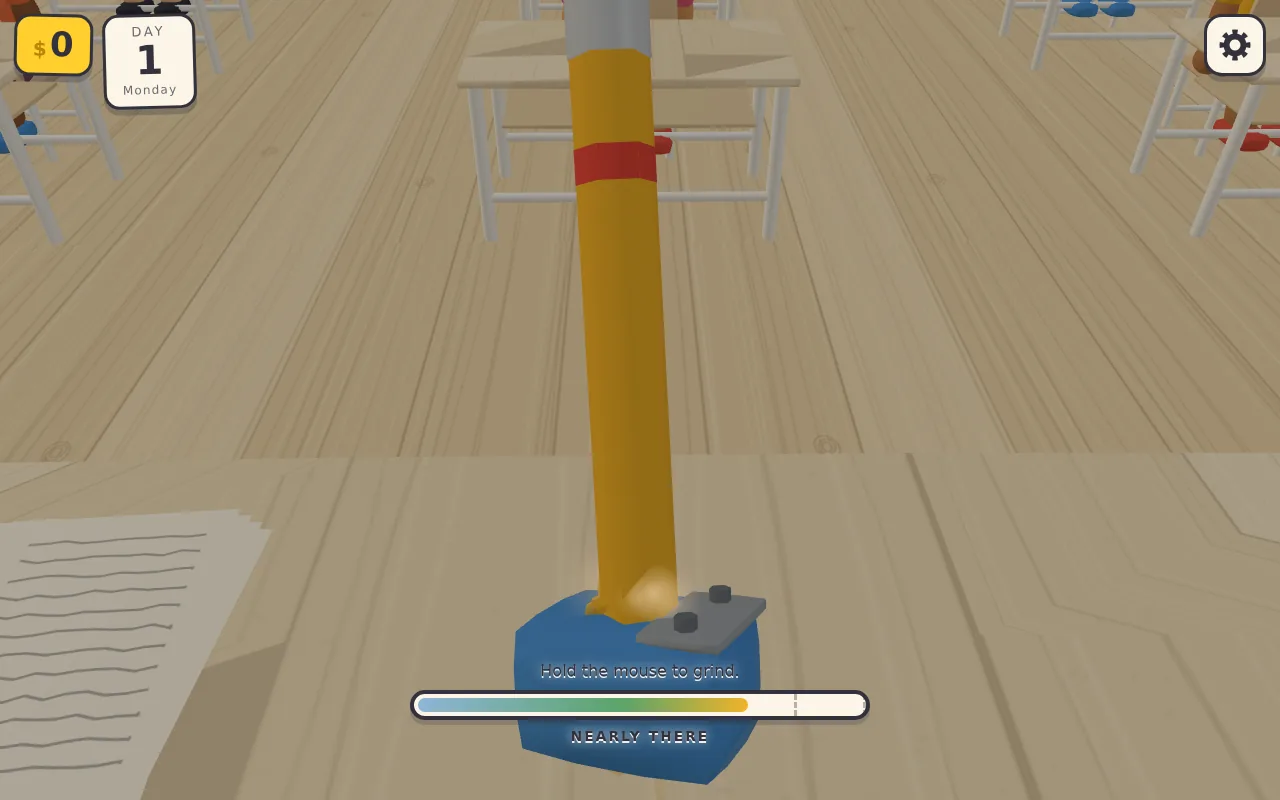
削铅笔:按住鼠标削,进度条随之上涨,这里离顶端那一段只差一点。在那一段里松手就削得正好,再削下去笔尖就断了。
第 1 天 · 结算

一天结束:18 项里做对 14 项,得到三颗星(满分五颗),评语只有一个词,游戏内工资随飘落的钞票往上涨。
第 1 天 · 结算
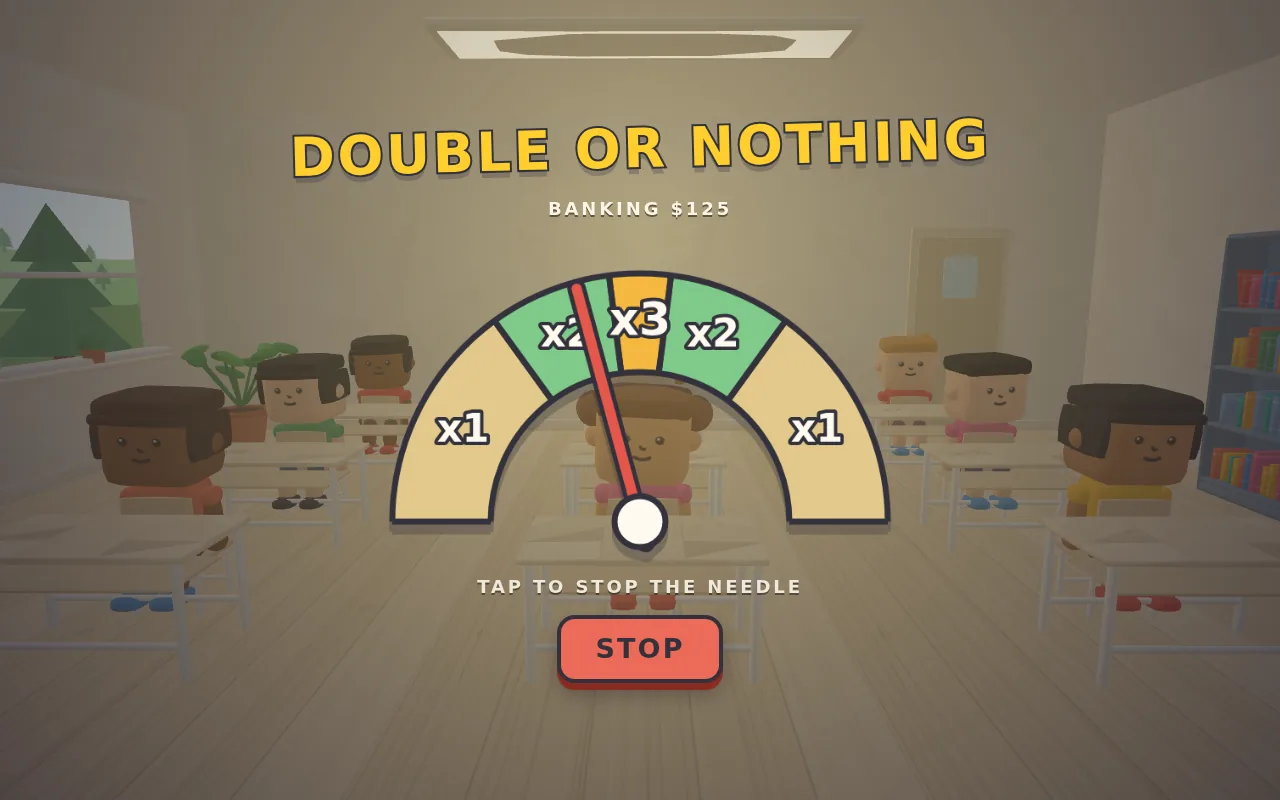
工资入账前,指针在分成 ×1、×2、×3 几段的弧上来回摆。点一下停住,停在哪段,工资就乘几倍。
第 4 天
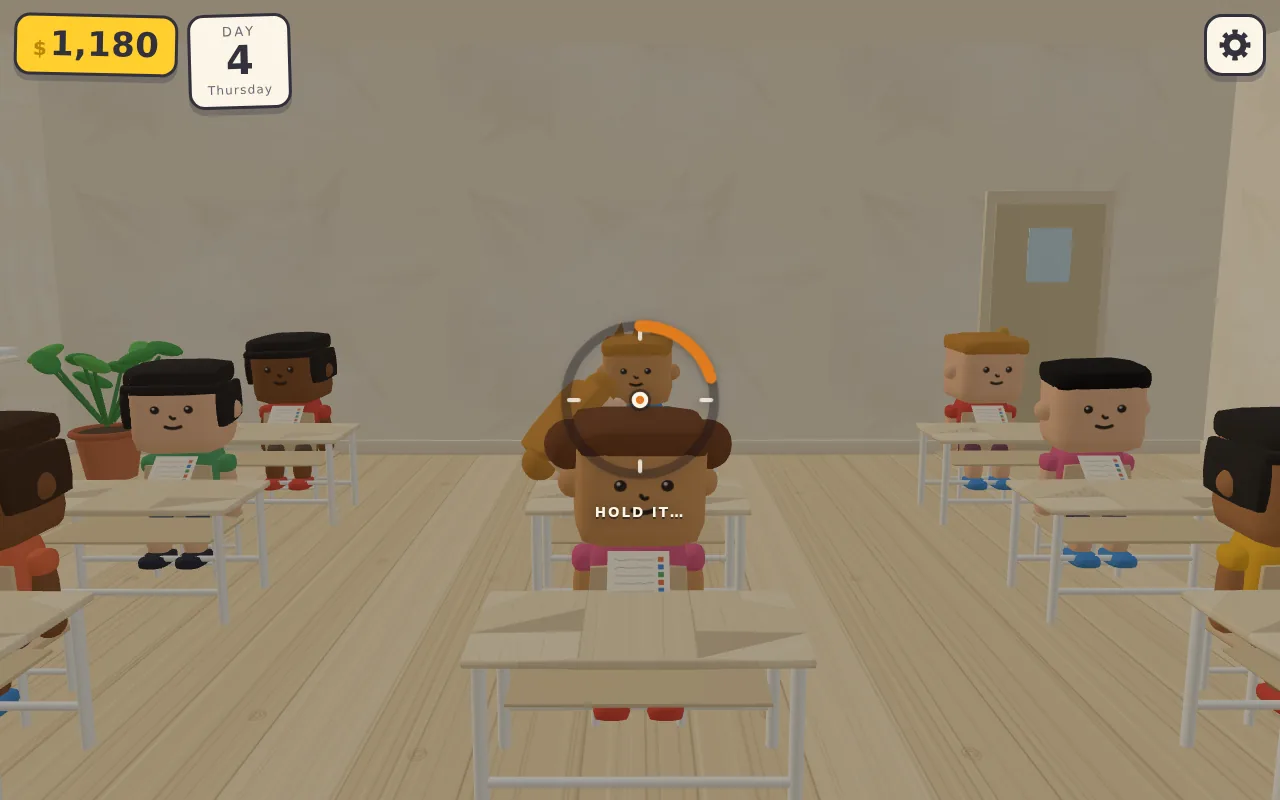
考试时抓作弊:拖动鼠标环视教室,准星停在偷看同桌的学生身上不动,外圈就会慢慢填满。
第 4 天
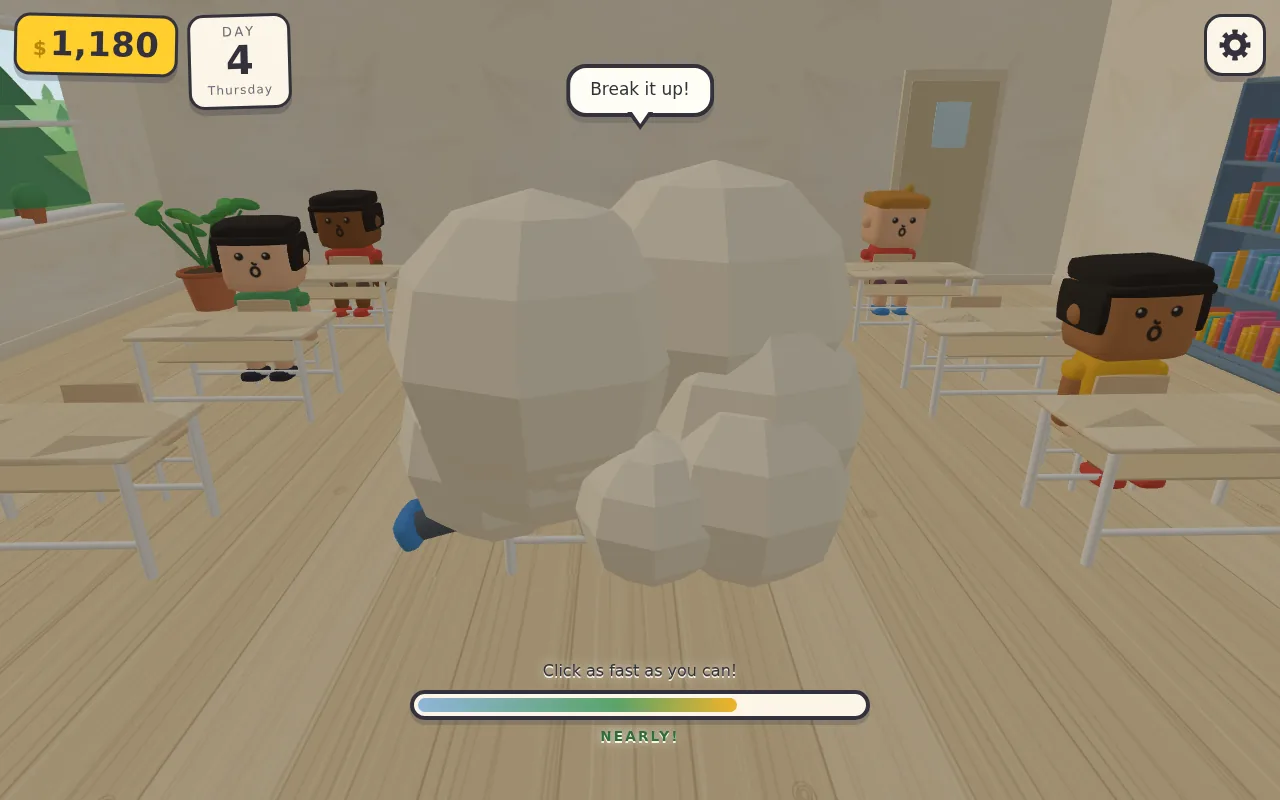
两个学生在一团卡通烟尘里扭打。快速点击填满进度条,满了就换灭火器上场;进度条的数值见下方收尾汇报那段节选。
第 4 天
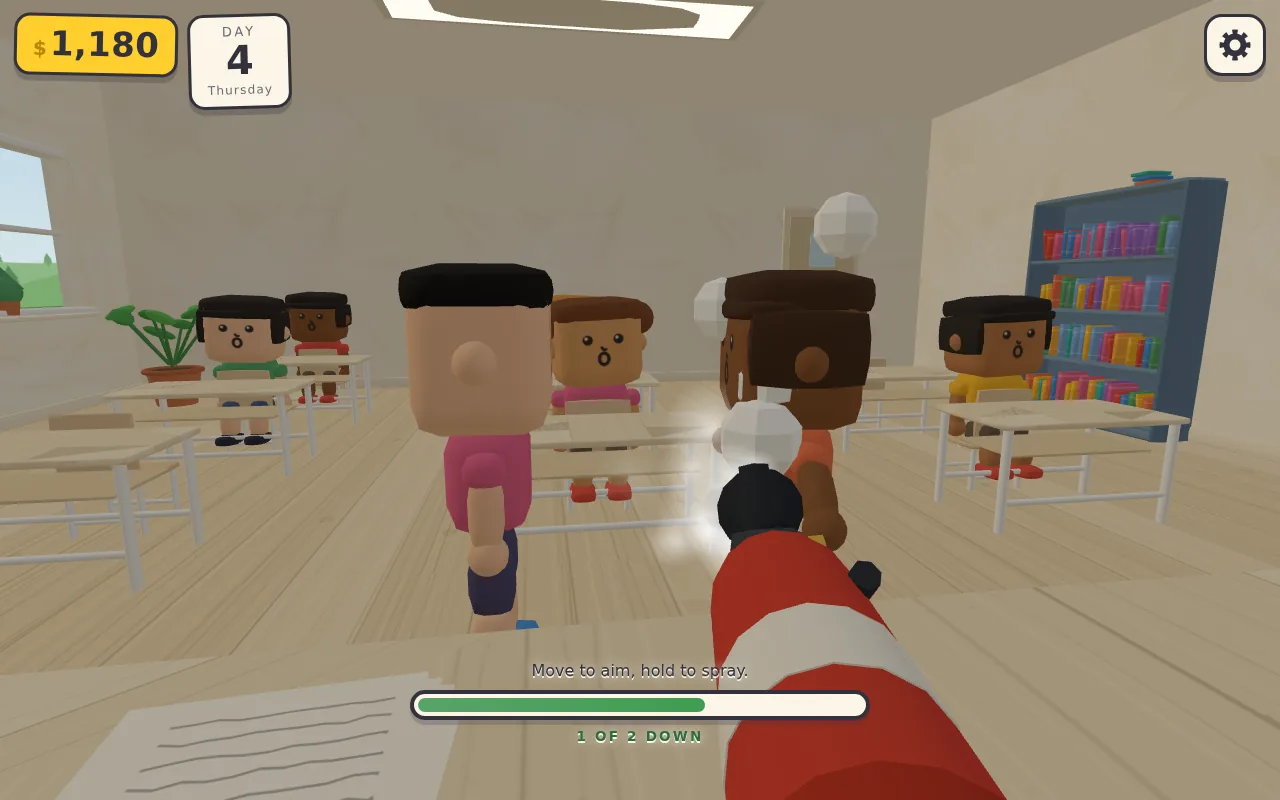
镜头降到灭火器后方:移动鼠标瞄准,按住喷泡沫,被泡沫裹住的学生会定住不动,两人中已有一人被定住。
第 4 天
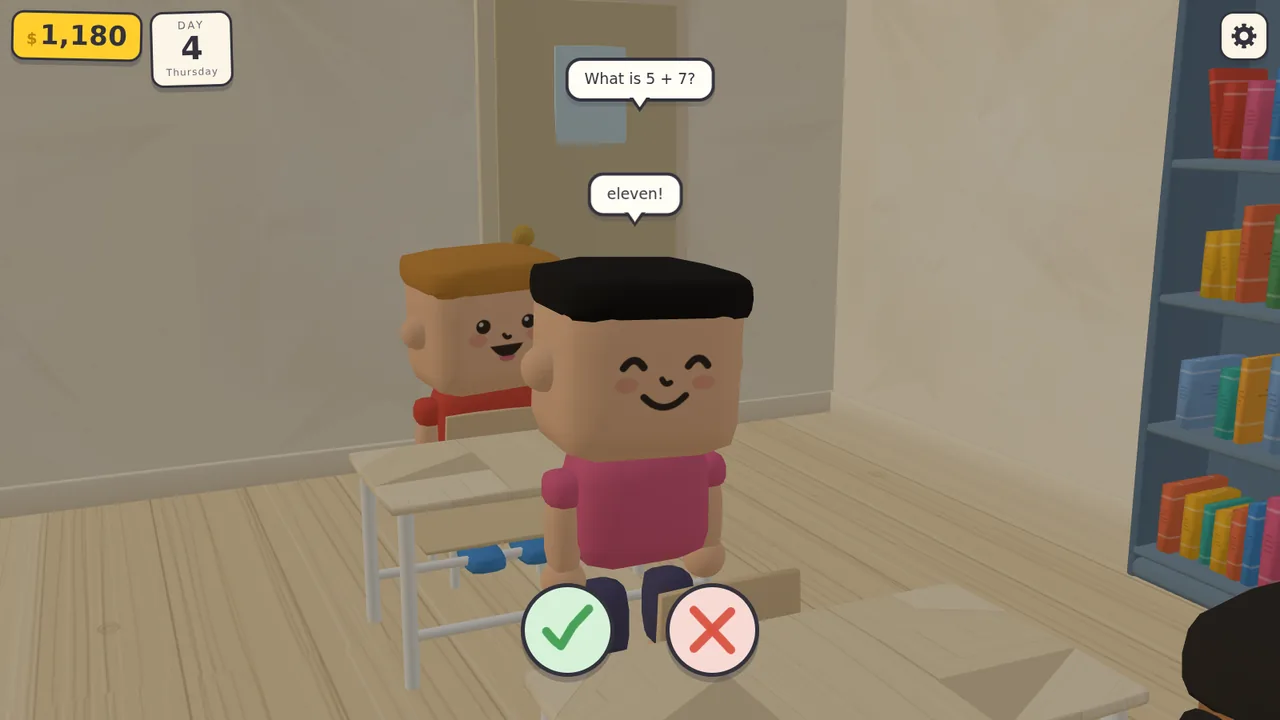
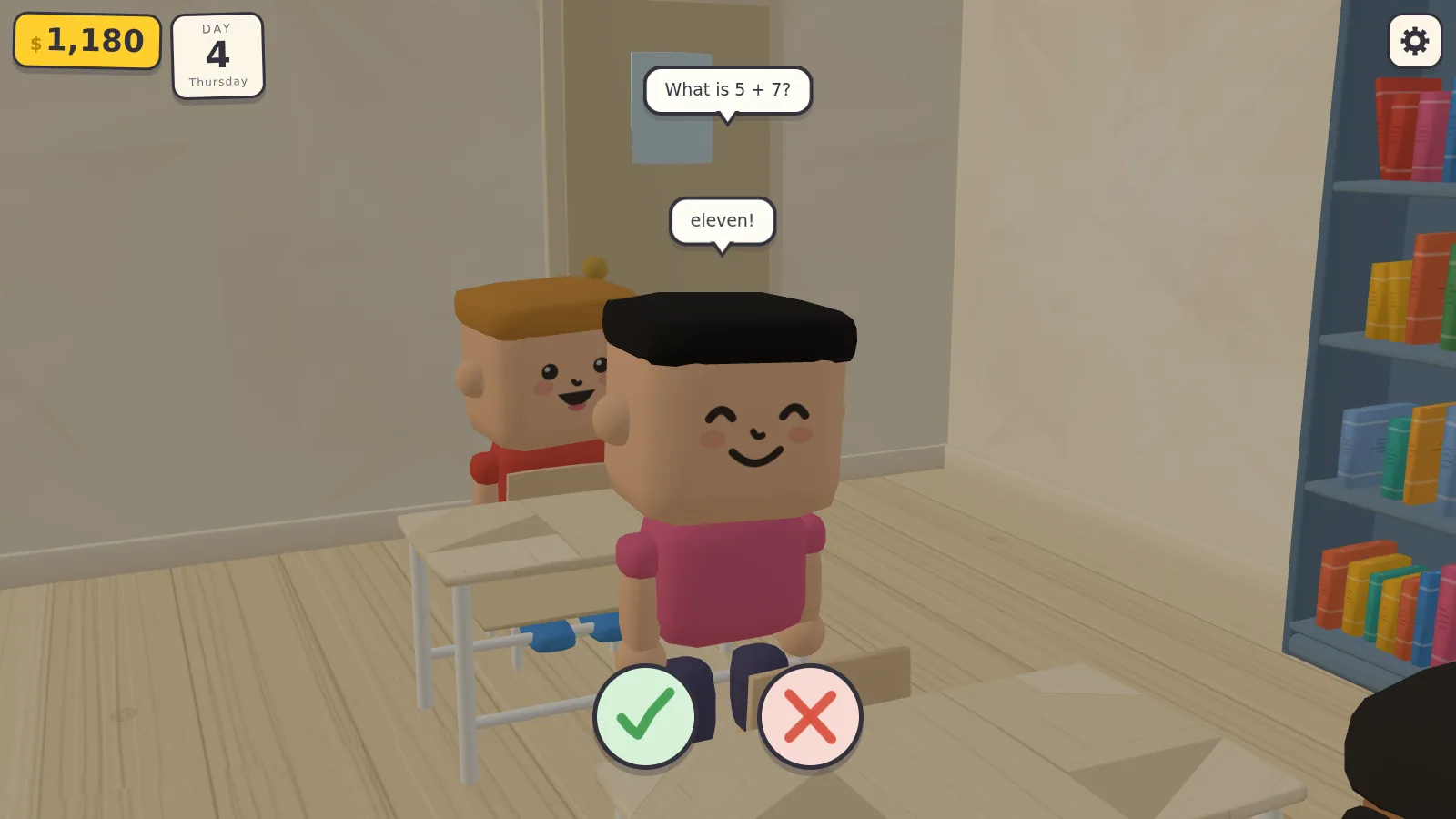
课堂提问,当天最后一节:学生把 5 + 7 答成 eleven,老师按对勾或叉判定对错。
结果
- 需求轮数
- 4
- 模型调用次数
- 524
- 工具调用次数
- 555
- 输出 token
- 69 万
- JavaScript 行数(33 个模块)
- 10,893
- Agent 工作时长
- 2 小时 36 分
节选:一次评分测试暴露出设计缺陷(第 1 轮,第 38–45 次模型调用)
- 工具调用 Write
file_path: …/grading.mjs
content:
/**
 * Grading test: mark one paper perfectly (expect A), then mark the next one
 * entirely with crosses (expect F), reading the answers straight out of the
 * DOM and the pictured doodle by instrumenting DOODLES.
 */
…
- 工具返回 Bash
paper 0: grade=F hint="All 6 marked correctly."
   umbrella/sun house/tree giraffe/chilli balloon/cat tree/tree cat/cat
…
FAIL: perfectly marked paper graded F, expected A
FAIL
…
- 思考
… But I'm noticing a design issue: the question generator forces at least one incorrect answer, which means a perfectly-marked paper will always have at least one cross, making an A grade essentially unreachable through honest marking…

To fix this, I'm making the answer distribution probabilistic: about 18% of papers will be perfect (all correct answers, earning an A), and about 8% will be disasters (all wrong, earning an F). For the remaining papers, I'll randomly mark about 42% of answers as wrong while ensuring at least one wrong answer exists so the paper isn't accidentally perfect.
…
- 工具调用 Edit
file_path: …/src/minigames/markPapers.js
old_string: …
  // never hand over an all-right or all-wrong paper — no decisions in that
  if (questions.every((q) => q.correct)) questions[rng.int(0, count - 1)].correct = false;
  if (questions.every((q) => !q.correct)) questions[rng.int(0, count - 1)].correct = true;
…
new_string: …
  const mood = rng.next();
  const perfect = mood < 0.18;
  const disaster = !perfect && mood > 0.93;

  const flags = picks.map(() => (perfect ? true : disaster ? false : !rng.chance(0.42)));
…
- 工具返回 Bash
paper 0: ticks 3/6 grade=D (want D) hint="All 6 marked correctly."
…
paper 1: ticks 0/5 grade=F (want F) hint="1 mark wrong — the grade stands."
…
paper 2: ticks 5/5 grade=A (want A) hint="2 marks wrong — the grade stands."
…
PASS
…
节选:收尾汇报,讲劝架怎么做和 Agent 自行定下的两条规则(第 3 轮,第 333 次模型调用)
可定制
包括但不限于以下几项,其他需求都可以商量。
- 需求:游戏类型、轮数、每轮的内容,以及需求用什么语言。
- Agent:模型、effort 档位和 Agent 框架;同一份需求可交给多个模型。
- 技术栈:换用其他引擎、TypeScript 加打包工具,或锁定版本。
- 素材:全部程序生成,或使用你们提供的素材包。
- 格式:完整调用日志、只给分段文件,或消息级 JSON。
- 数量和排期:交付数量和时间安排。